Announcement Addition Screen
If the person logging into the interface is authorized to add announcements, in the "Announcements" popup and The "Add " button will be visible on the announcement detail screen. When the person clicks on this "Add" button The announcement addition screen opens where the details of the announcement to be published can be entered.
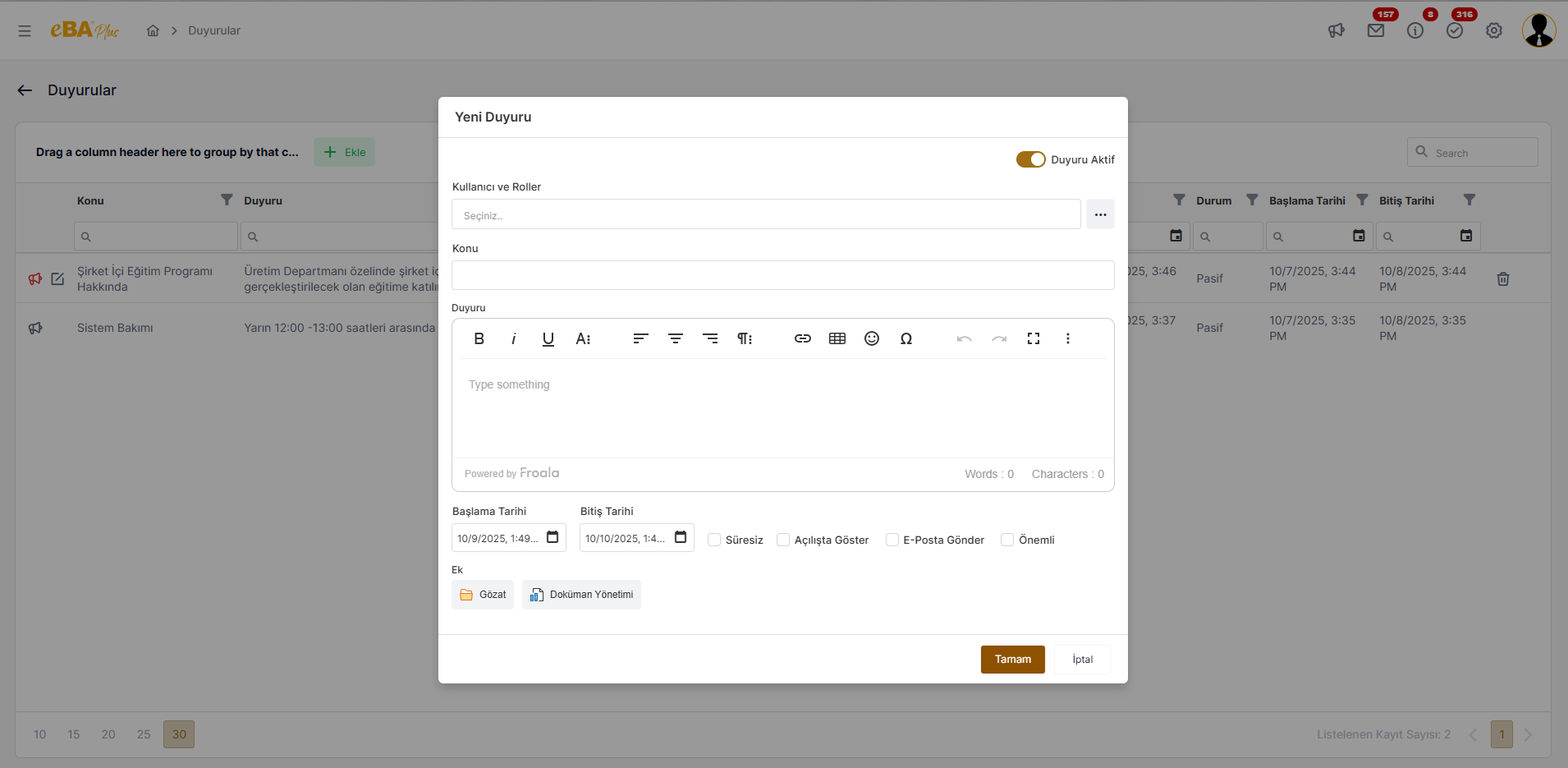
Announcement Active : When this field is checked, the announcement details are entered and the "OK" button is pressed, The announcement is actively published and can be viewed by the relevant people. This area has not yet been An announcement that is not due can be prepared, added passively, and when the time comes, activation or reactivation of an expired passive announcement recognizes. Or an active announcement can be deactivated and removed from the air.
User and Roles : Determining who and by whom the announcement can be viewed part. Only for specific users, specific roles, positions, titles, departments, or groups Special announcements may be posted. From this field, the person or persons to whom the announcement is requested to be shown can be selected. When the "User and Roles" field is clicked, user and role selections will be made. A separate modal screen will open.
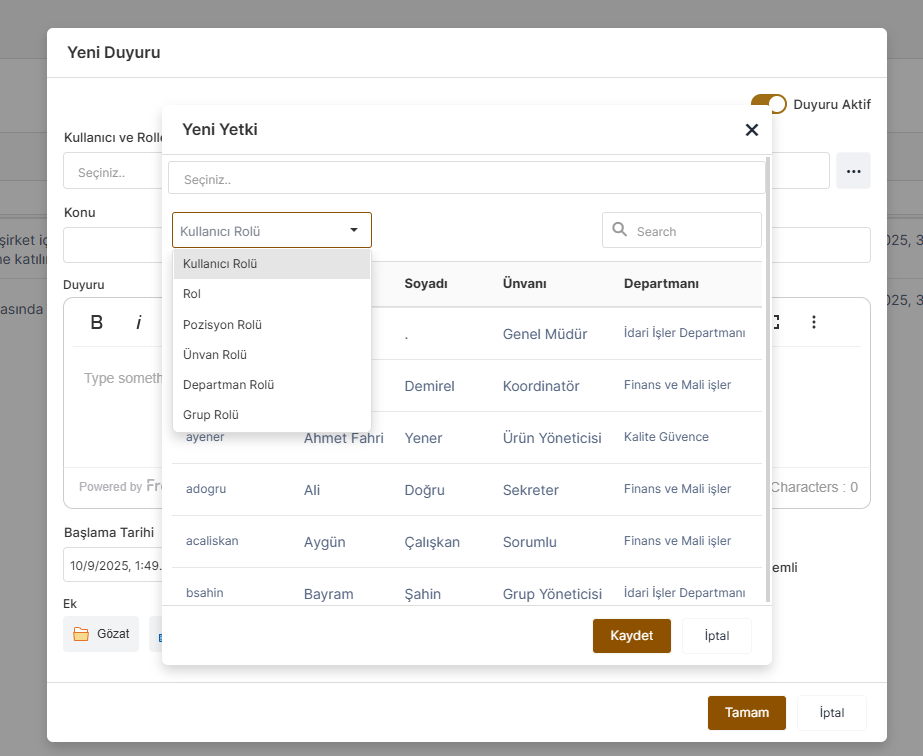
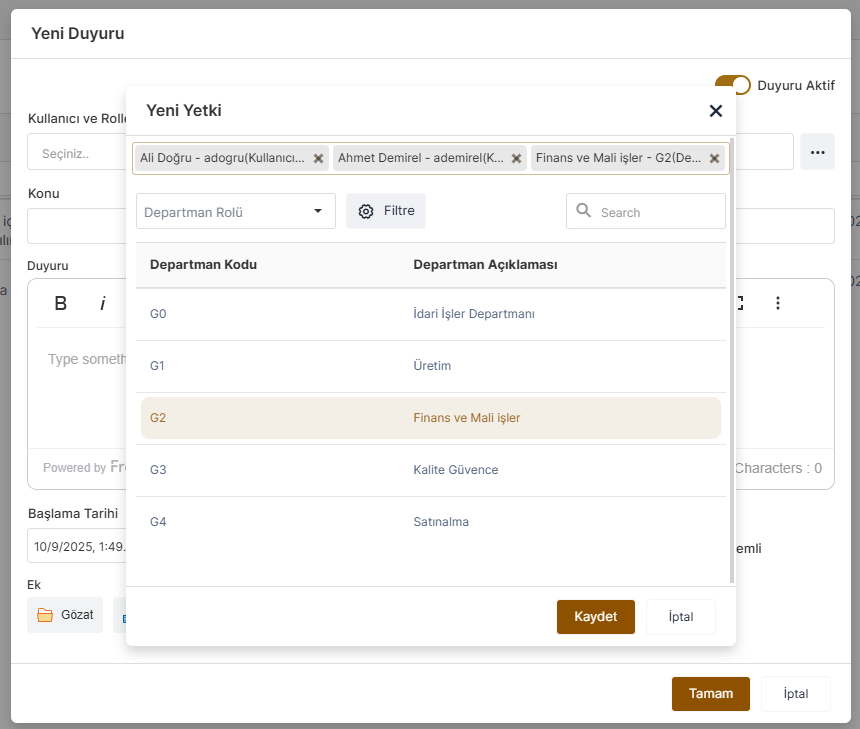
According to the role selected in the authorization modal, the list of people included in that role is in the table structure below. is listed. One or more selections are made from this table structure and shown in the authorization list field. Selections for different authority roles without the need to log out of the " New Authority " window can be done.
Topic : This is the area where the subject of the announcement is written.
Announcement : This is the area where the details of the announcement are written.
Start Date : This is the field where the date of publication of the announcement is selected.
End Date : This is the field where the date on which the announcement will be removed is selected. Date selected from this field The announcement is deactivated and unless the user who published the announcement activates it again, The announcement cannot be viewed by the people to whom it is posted.
Indefinite : Indefinite announcements can be published. When this field is checked, the relevant announcement is always It can be viewed as an active announcement for users to whom it is posted.
Show on Opening : When this field is checked, the users to whom the announcement is published will be able to log in to the interface. When you do, the announcement will automatically pop up on the screen. For announcements that are important to read, check out this Marking the field reduces the chance of overlooking the relevant announcement.
Send E-Mail : When this field is checked, the relevant announcement can also be sent as an e-mail to the people to whom it is published. is sent.
Important : When this field is checked, it is emphasized that the announcement is important. Announcement list On the screens, important announcements are highlighted with a red announcement icon so that they are not overlooked. is provided.
Attachment : This is the field used when you want to add an additional file to the announcement. The announcement can be made from the local system or Additional files can be added from document management.