MESSAGES
Messages (messages) sent to users in the web interface related to workflows are listed, incoming It is the area where reply messages to messages can be sent.
Top Bar – In the popup that opens when the messages icon is clicked, the user who is logged in to the interface, Messages received in the last 1 week that have not been deleted are listed. Older, incoming and sent, To access all deleted and undeleted messages, click on the "Go All " link in the Messages popup. should be clicked.
The number shown on the messages icon is shown to the user who logs in to the interface, in the last 1 week. It is the number of unread messages that come in it. When a new message arrives, the number on the icon increases in value. When the message is read, this number value decreases.
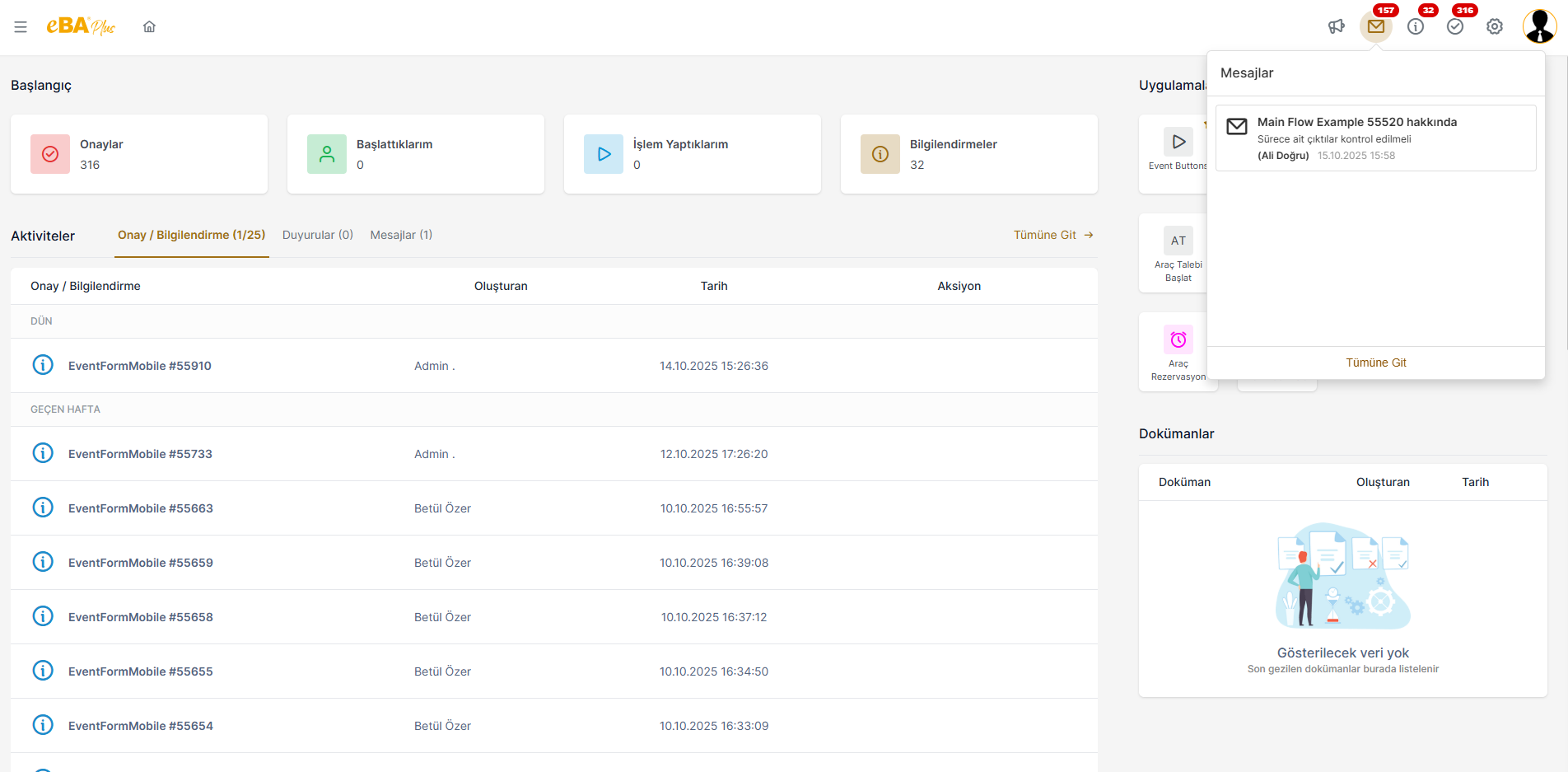
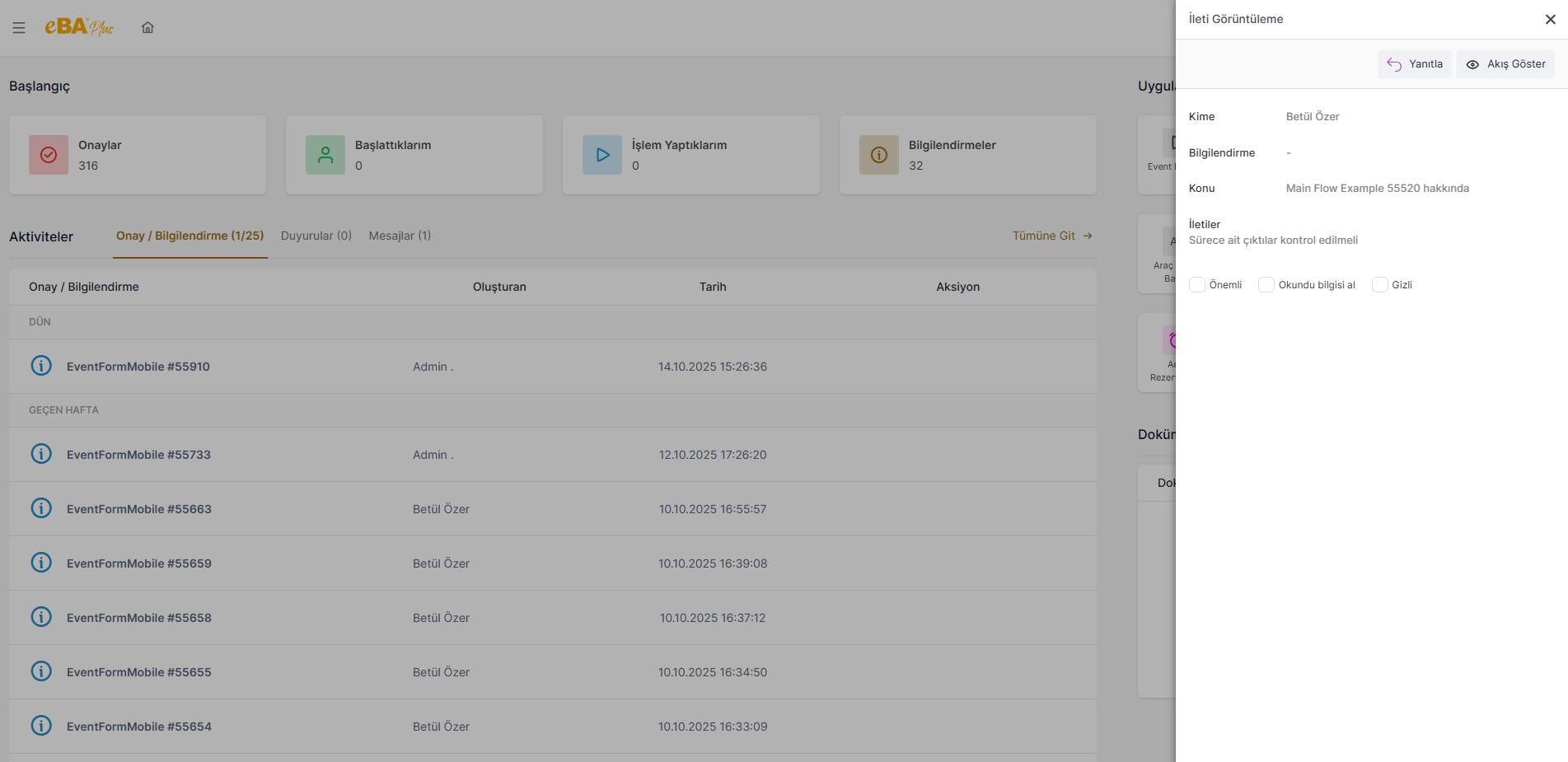
Clicking on a message card listed in the Messages popup will show the message details as read-only The panel where it is shown in mode opens. If the person wants, they can reply to this message using the "Reply " button. or click the "Show Flow** " button to see which workflow the message was created for. can click.
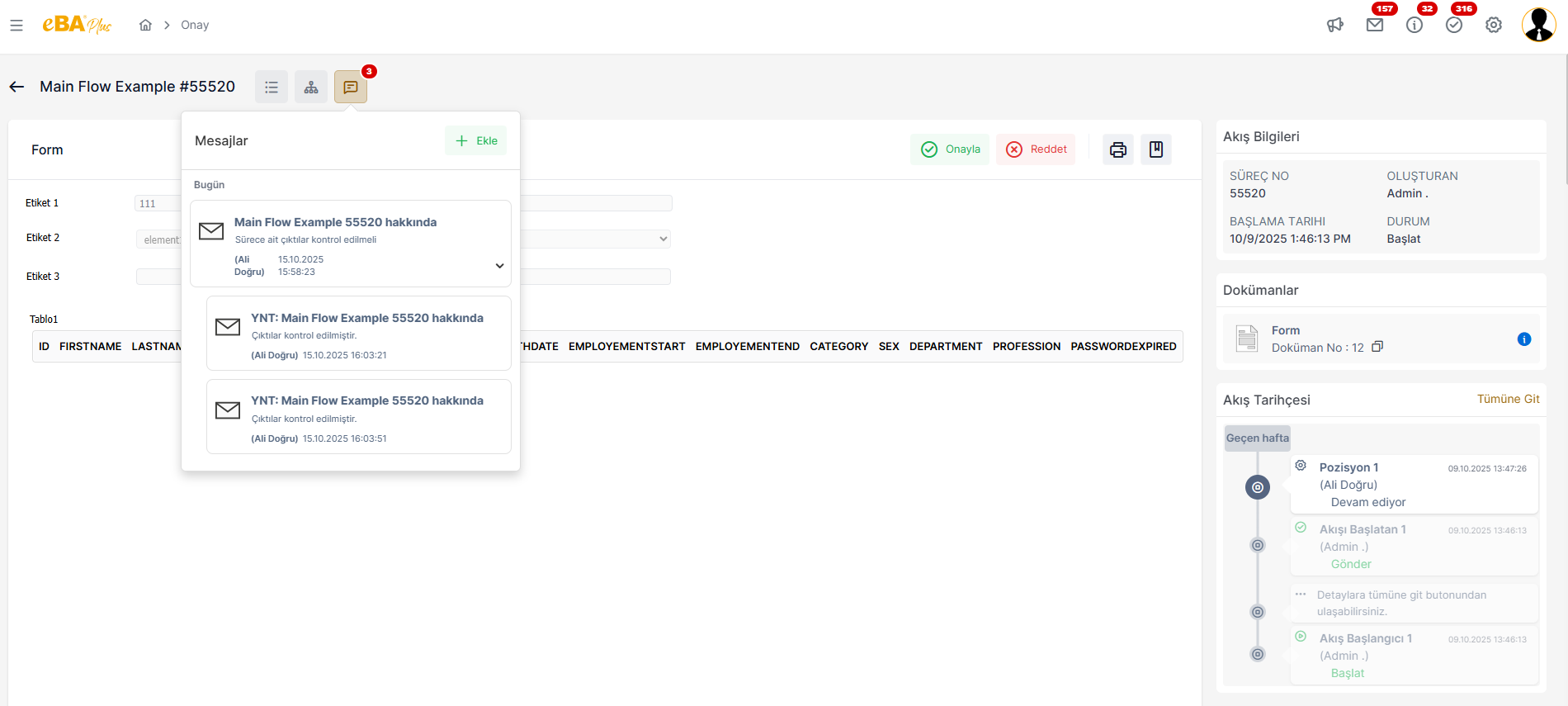
On the form display screen, messages are sent by authorized persons to Messages icon. If a message has been replied to, the reply cards given are the main message's It appears as a breakdown. Thus, the sequence of correspondence is understood more clearly.
When the "Go to All " link is clicked on when the Messages icon in the top menu is clicked, the incoming – A detail screen opens where all outgoing – deleted and undeleted messages are listed.
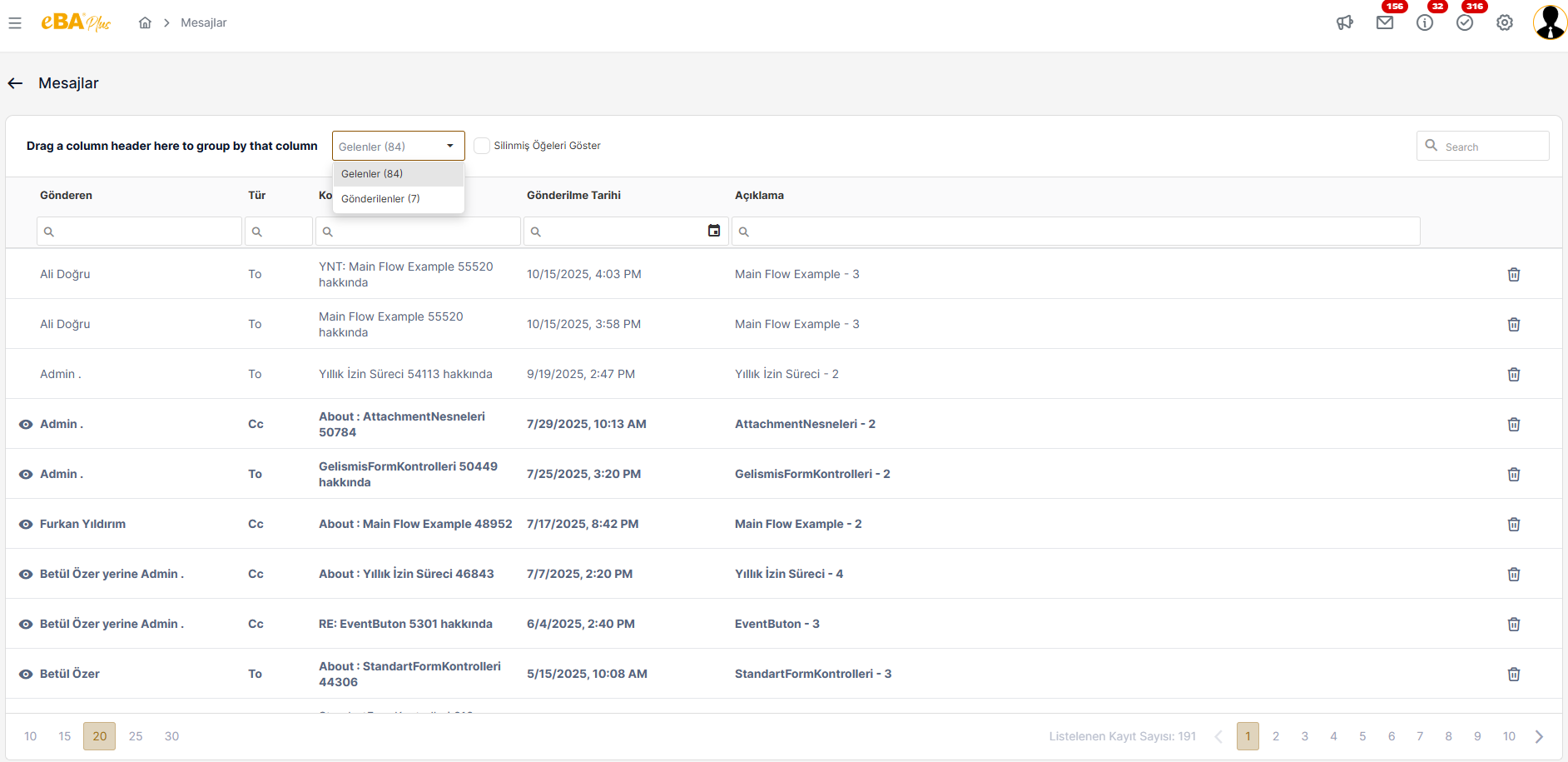
On this screen, the person can perform actions such as replying to messages, deleting messages, listing them.