Proxies
In order not to disrupt the work that a person needs to do while he is out of the company for a certain period of time, can give power of attorney to another defined user.
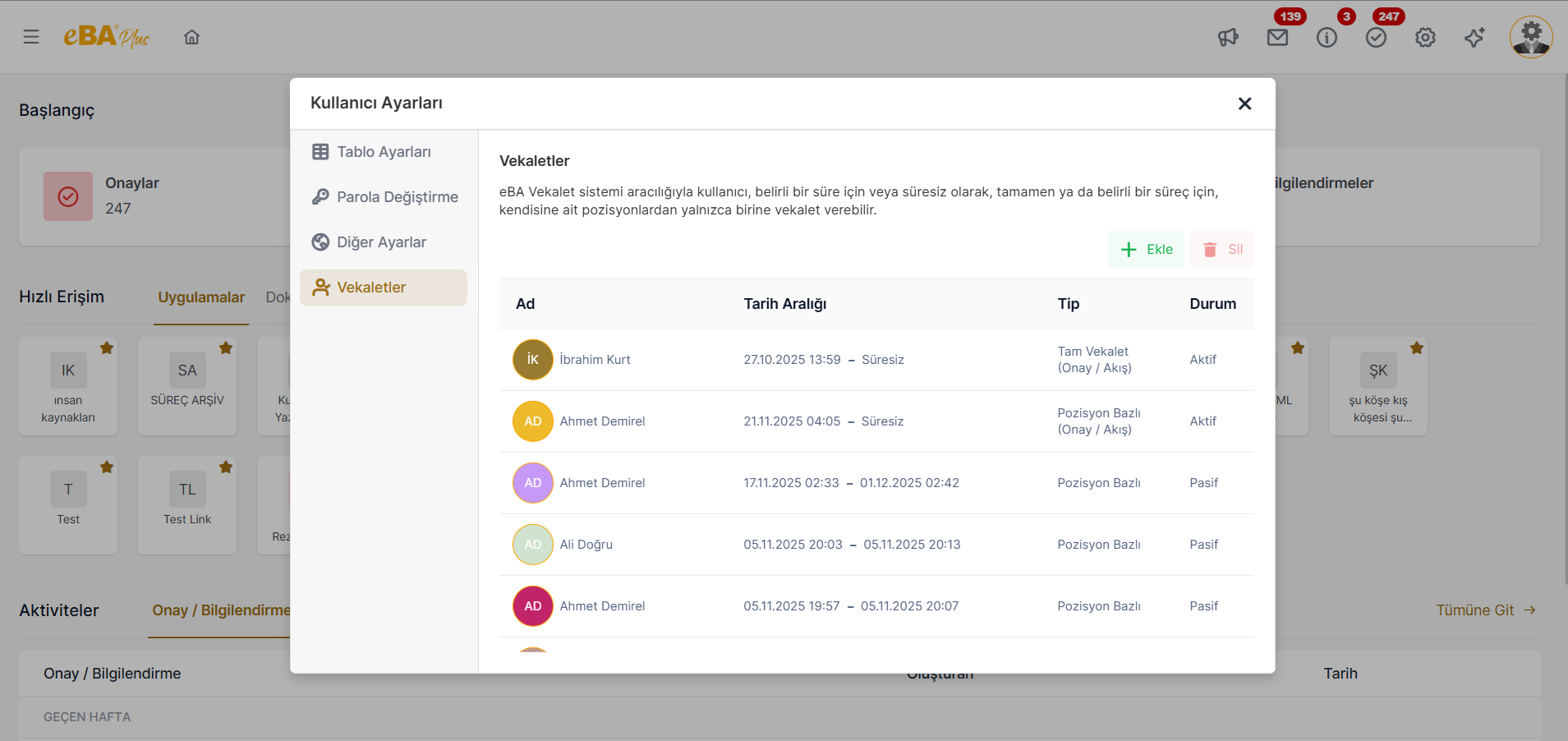
Power of attorney identification transactions are carried out from the Powers of Attorney tab.
To activate the power of attorney feature in the system, in the eBAConfigurtionEditor.exe in the Advance tab. The value of the Enable key in the Delegation node is set to true.
The power of attorney identification process is managed depending on the authority. Proxy tab appears and
To the person who is asked to perform the issuance process, System Manager -> Authentication Manager
In the tab, the webDelegation authorization under Web authorizations must be given.
In the Power of Attorney tab, the powers of attorney that the person has previously given are listed. Any When the power of attorney is clicked, the "Delete " button above becomes active. When the delete button is clicked A defined power of attorney can be removed from the system.
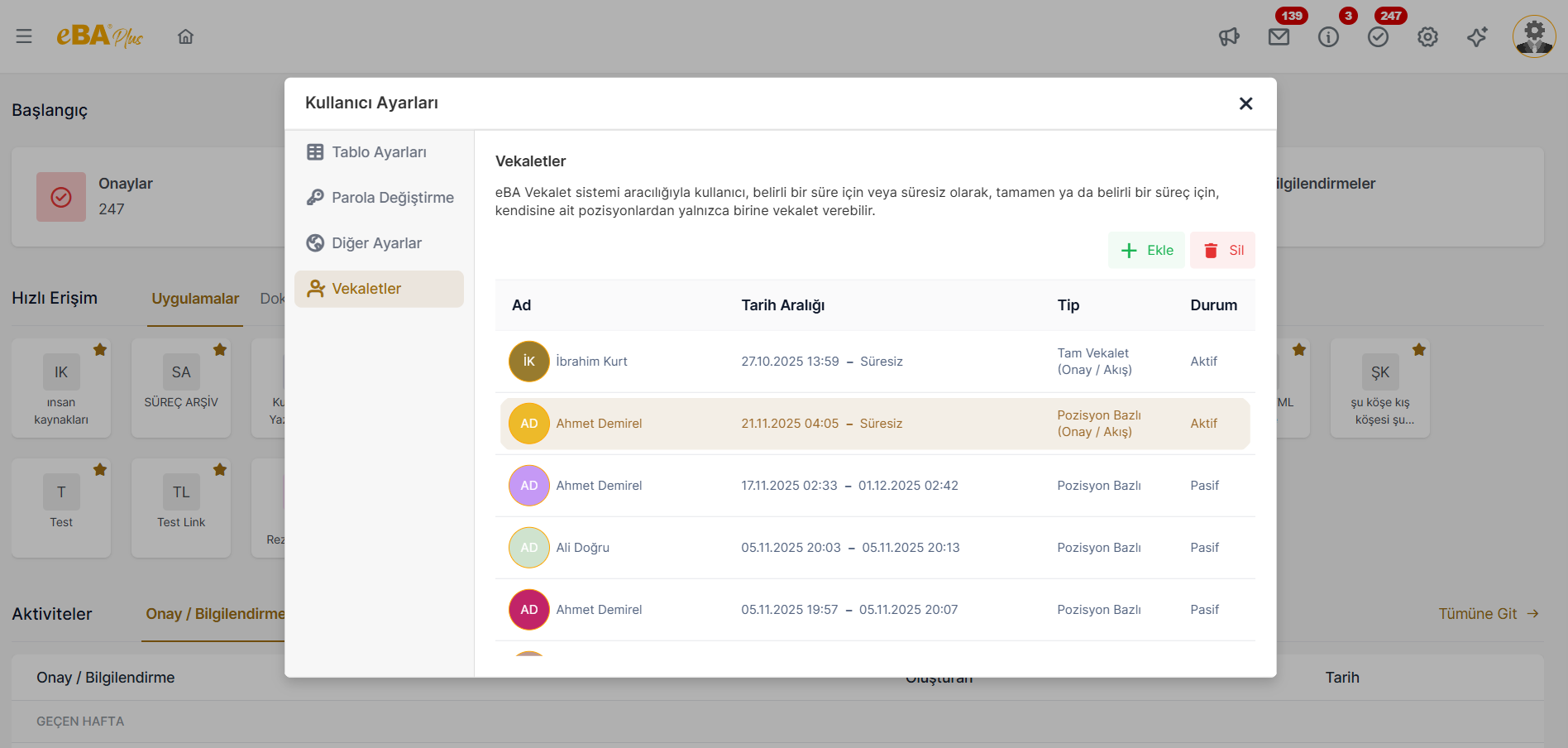
Multiple types of power of attorney can be defined in the system. Click the "Add " button in the Power of Attorney tab When clicked, the side panel will open where the settings of the newly defined power of attorney are made.
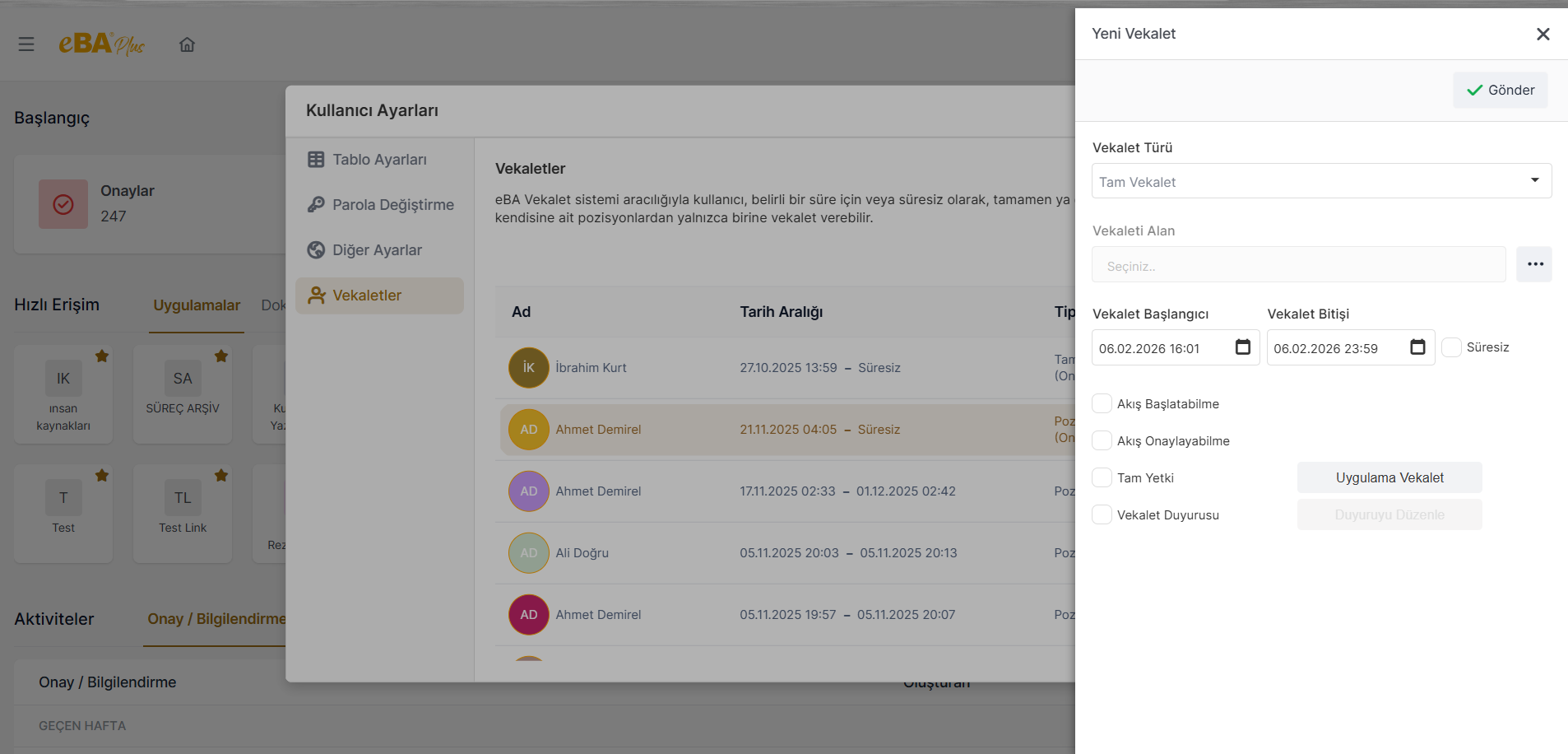
Power of Attorney Type : The type of attorney to be defined is selected from this field. In the field of Power of Attorney Type; " Full Proxy", "Process-Based Proxy " and "Position-Based Proxy " options are listed.
- When "Full Power of Attorney" is selected as the type of power of attorney, the person receiving the power of attorney is given the power of attorney within the specified periods. With the determined permissions, full power of attorney is defined.
- When "Process-Based Power of Attorney" is selected as the power of attorney type, click "Process" in the power of attorney definition panel. field becomes visible. In the "Process" field, all processes defined in the system are listed. Which If it is desired to define a power of attorney for the process or processes, the relevant processes are selected Power of attorney can be defined.
- When "Position Based Power of Attorney" is selected as the power of attorney type, in the power of attorney definition panel, The "Position" field becomes visible. Different positions of the power of attorney in the "Position" field If available, those position definitions are listed. Define the power of attorney for which position the person belongs to If he/she wishes, he/she can choose the relevant position definition from this field.
Receiving Power of Attorney : The selection of the person to whom the power of attorney is to be given is made from this field.
Attorney Start / Proxy End : The selection of the date range in which the defined power of attorney will be valid is based on these two It is made from the area. A retrodated power of attorney cannot be defined and the end date of the power of attorney is from the beginning of the power of attorney. An earlier date cannot be selected. When the date selected as the proxy end date arrives, the active power of attorney will be transferred to the system. automatically deactivated by the
Indefinite : Indefinite power of attorney can also be defined in the system. If an indefinite power of attorney is desired to be defined, this The area is marked. When this field is checked, the "Power of Attorney End" field is automatically inactive.
Flow Initiation : If a power of attorney is given by marking this field, the person receiving the power of attorney must be the person giving the power of attorney. It is allowed to start a flow instead.
Flow Approval : If a power of attorney is given by marking this field, the person receiving the power of attorney is the person giving the power of attorney instead of confirming the flow.
Full Authority : If the full authority area is checked, the power of attorney can see which menu nodes and If the person with the power of attorney can access it, the person with the power of attorney will also have the same menu access. If the person is a power of attorney If he does not want the person to be able to access all the menu nodes he sees, the "Full Power of Attorney" field should not be checked, by clicking the "Application Power of Attorney " button, which menu of the person receiving the power of attorney He must give special permission that he needs to see his knots.
Power of Attorney Announcement : When a power of attorney is defined, this power of attorney definition is also published as an announcement If desired, the proxy announcement field can be marked here and the details of the announcement to be published, It can be edited by clicking the "Edit Announcement " button.
Send : After entering the power of attorney settings, click on the "Send" button and create a It can be ensured that the power of attorney record is created in the system.
**Önemli Note: The person to whom the _Vekalet is given is to enter the web interface in order to see the power of attorney given to him/her. must log in with the user account. Power of attorney given with the Login Ace feature When the person is replaced, the powers of attorney defined for that person are görülemez.