Process Management / Competency Management
Information
You can quickly access the relevant topic with the help of the navigation on the right.
ENSEMBLE PROCESS MANAGEMENT / COMPETENCY MANAGEMENT HELP DOCUMENT
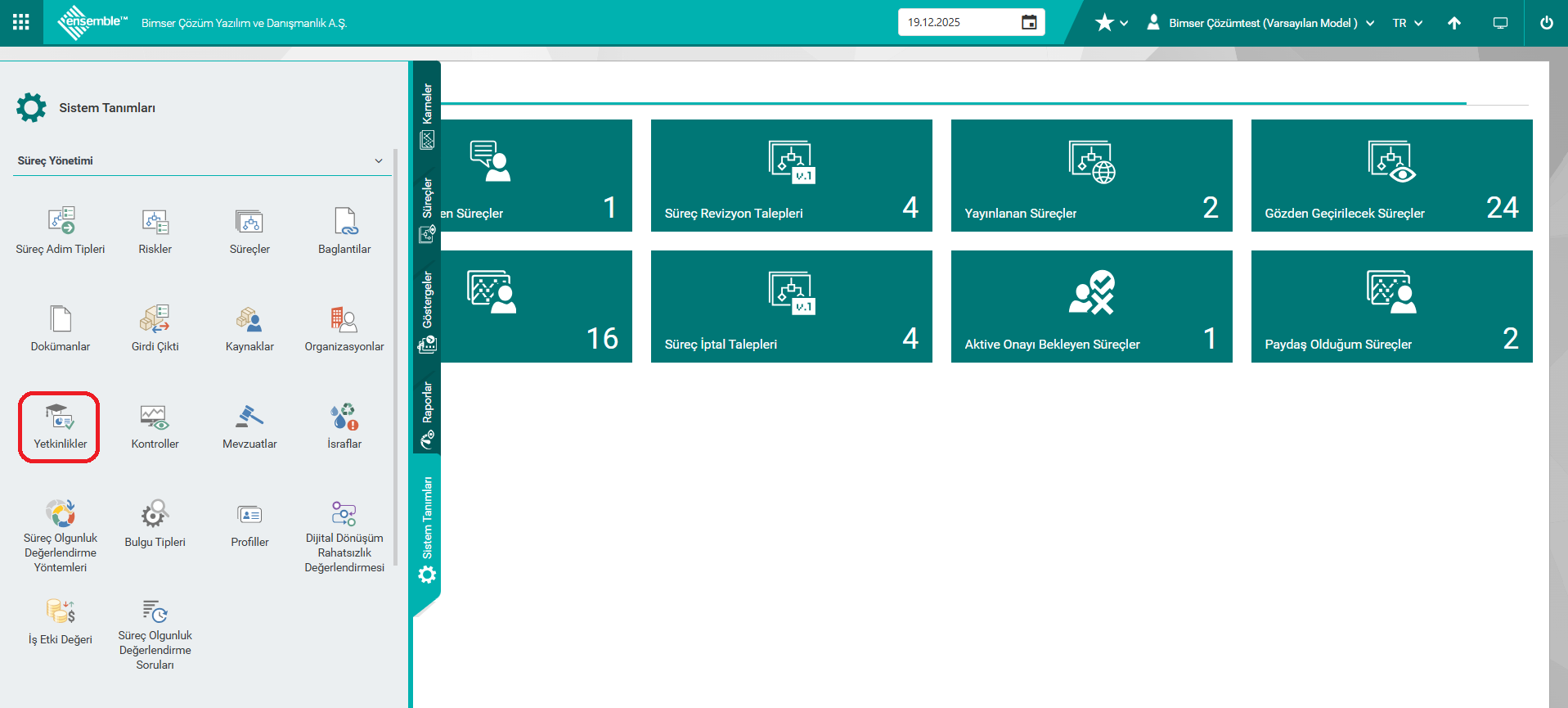
1. SYSTEM DEFINITIONS > COMPETENCIES
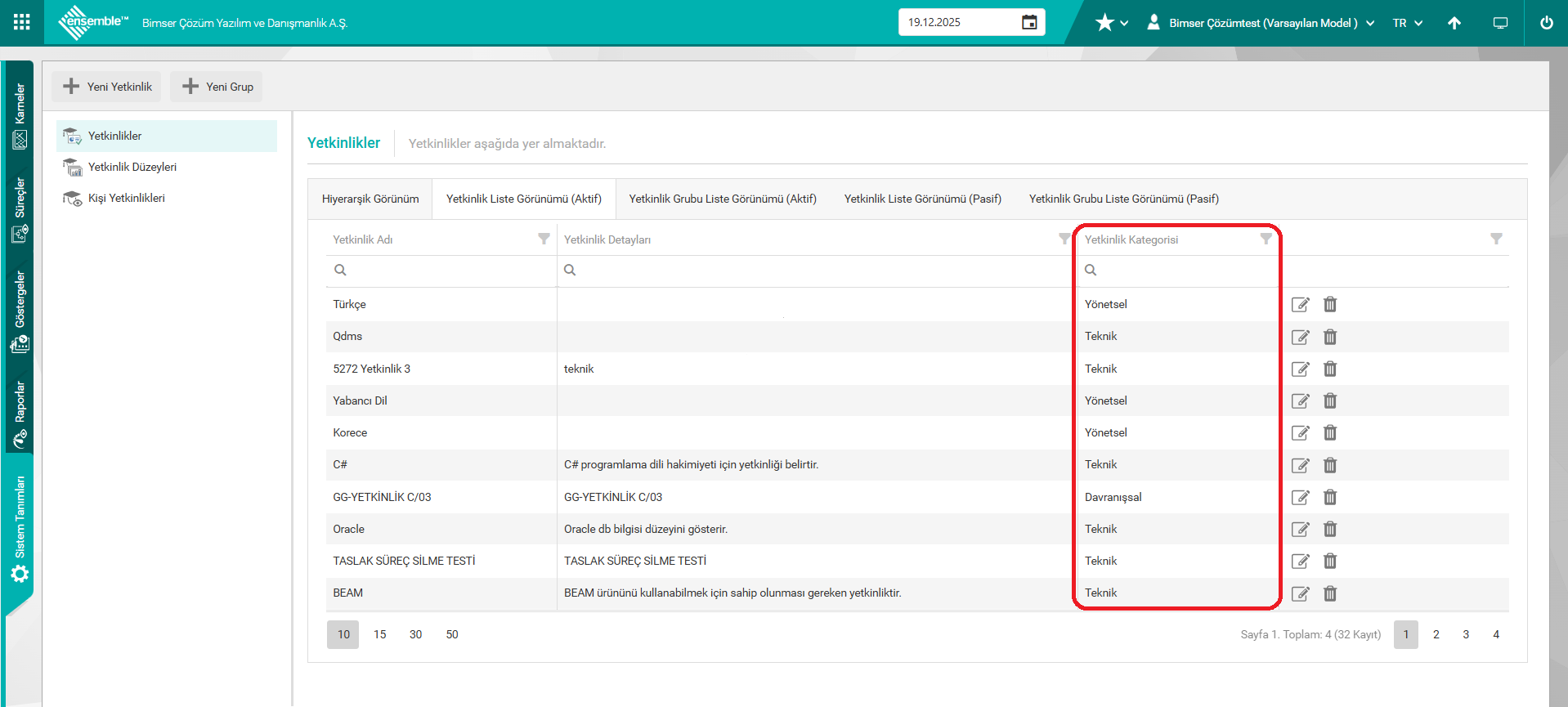
Improvements have been made to the competency under the System Definitions > Competencies menu.
Competency Categories have been added. It is displayed under the "Competency Category" column under the Competency List View (Active-Passive) tabs. With the new Competency definition, "Behavioral-Managerial and Technical Competencies" can be selected. Data in the desired category can be viewed by applying a filter on the Competency List View.
If there are existing competencies used in customers, they have been updated in the setup file. The customer can make a new definition and update the existing one and use it.
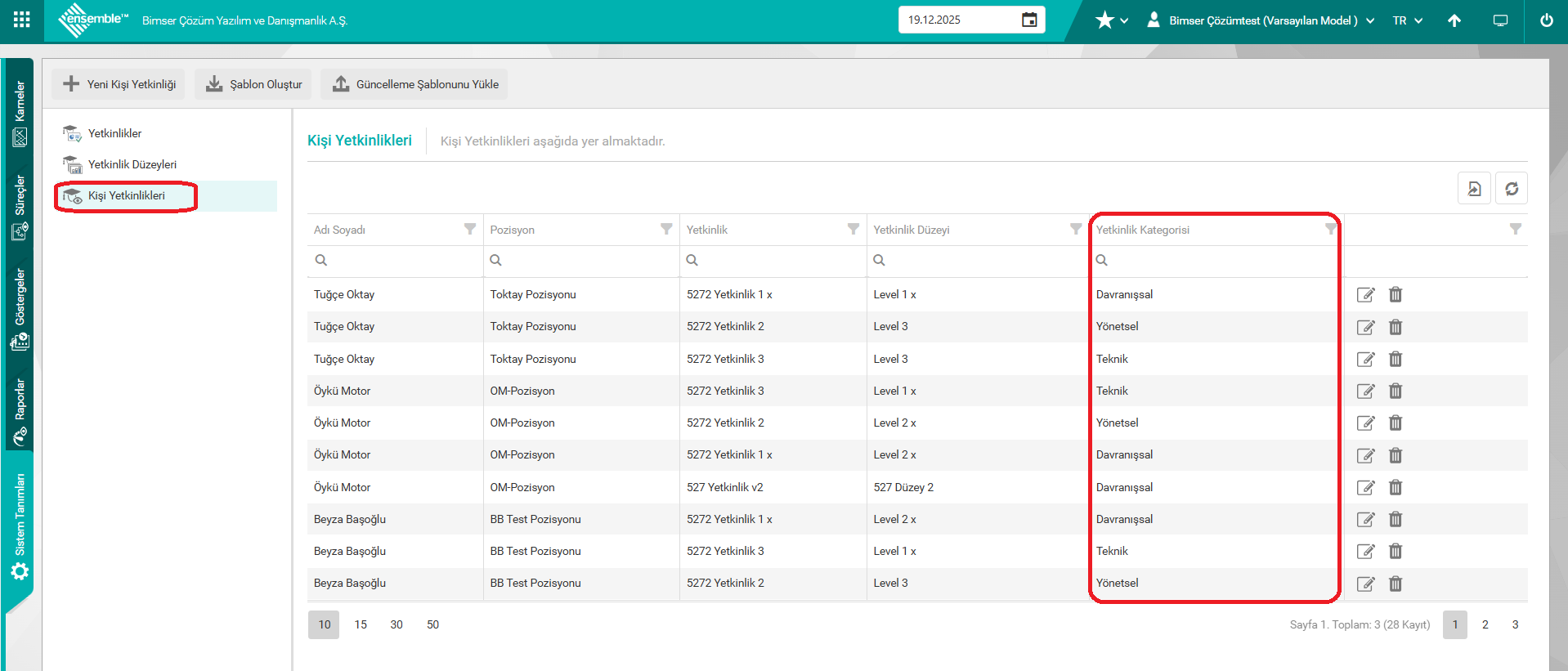
The "Person Competencies" tab has been added.
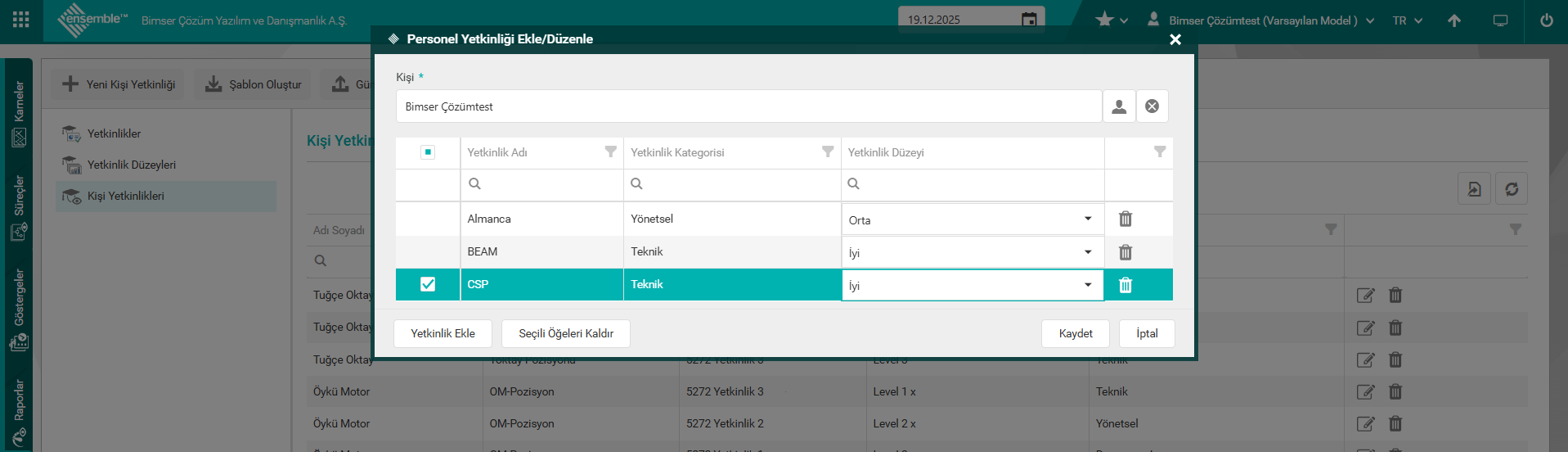
On the screen that opens with the "New Person Competency" button, "Person" can be selected and as many (multiple) competencies can be added to that person as desired.
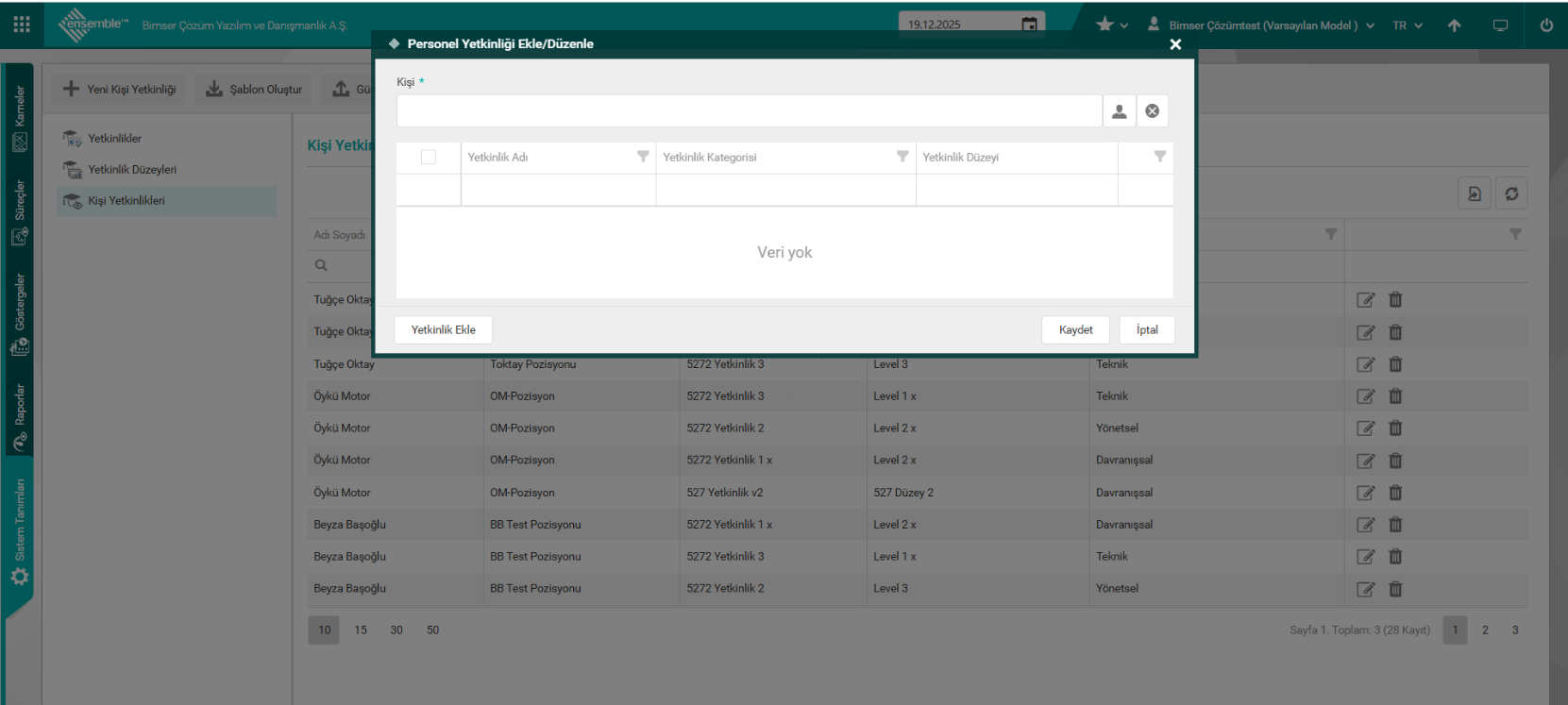
The selected competencies of the person are saved and displayed in the list on the pop-up, and the competency level can be selected from this list.
Saved contact competencies are displayed on the contact competencies list.
2. SYSTEM DEFINITIONS > PROCESSES
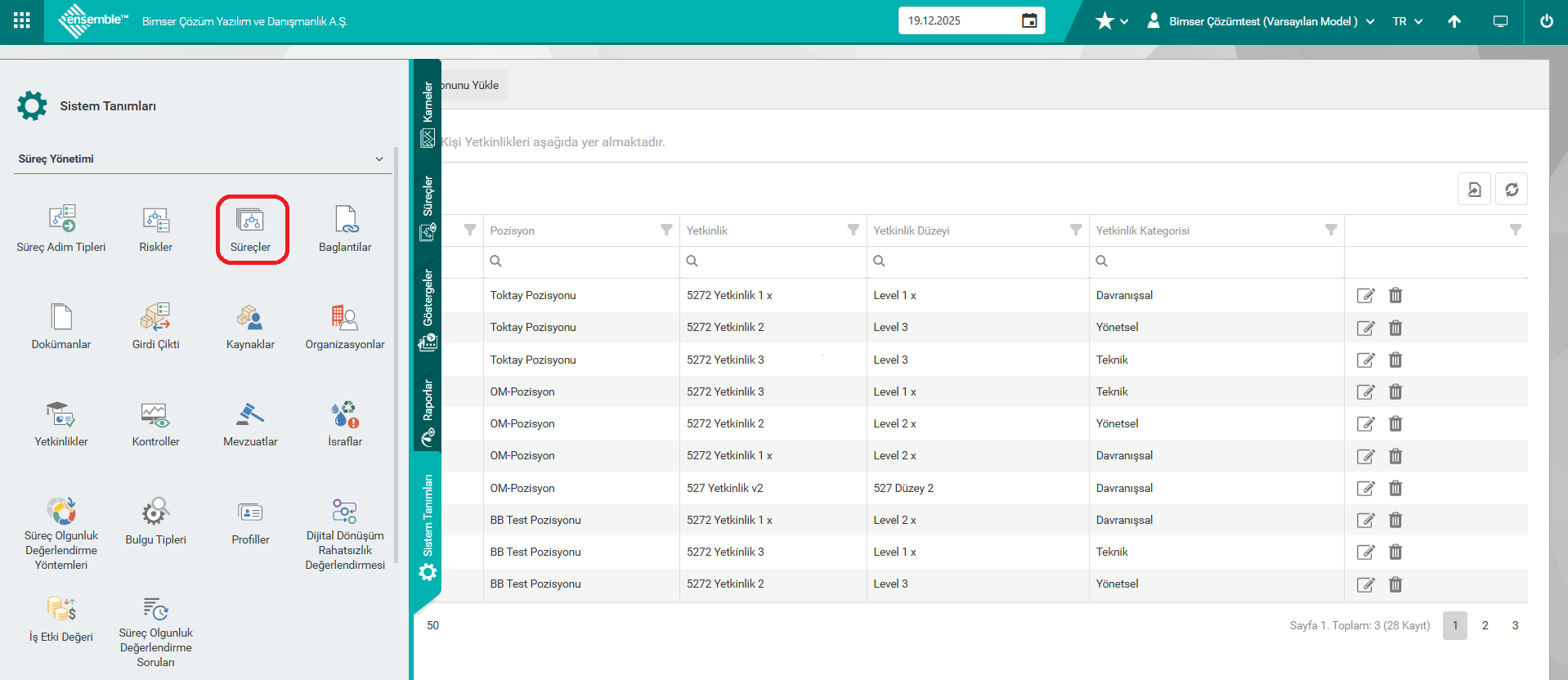
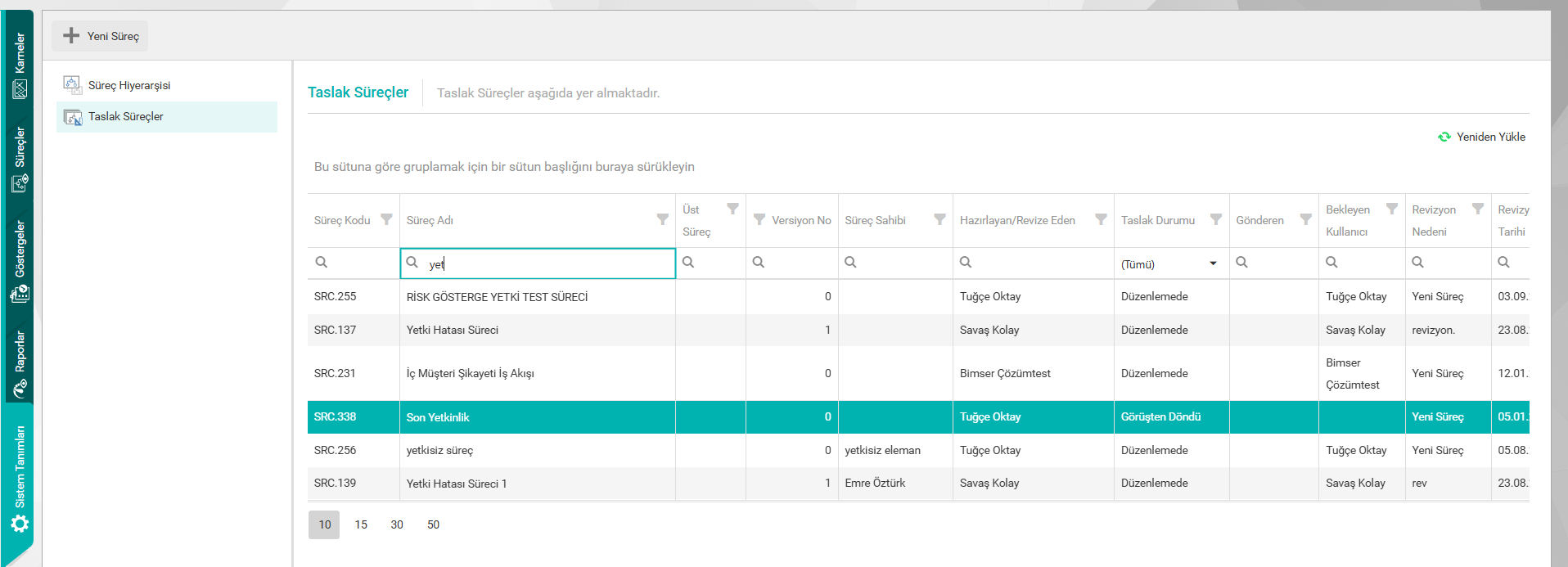
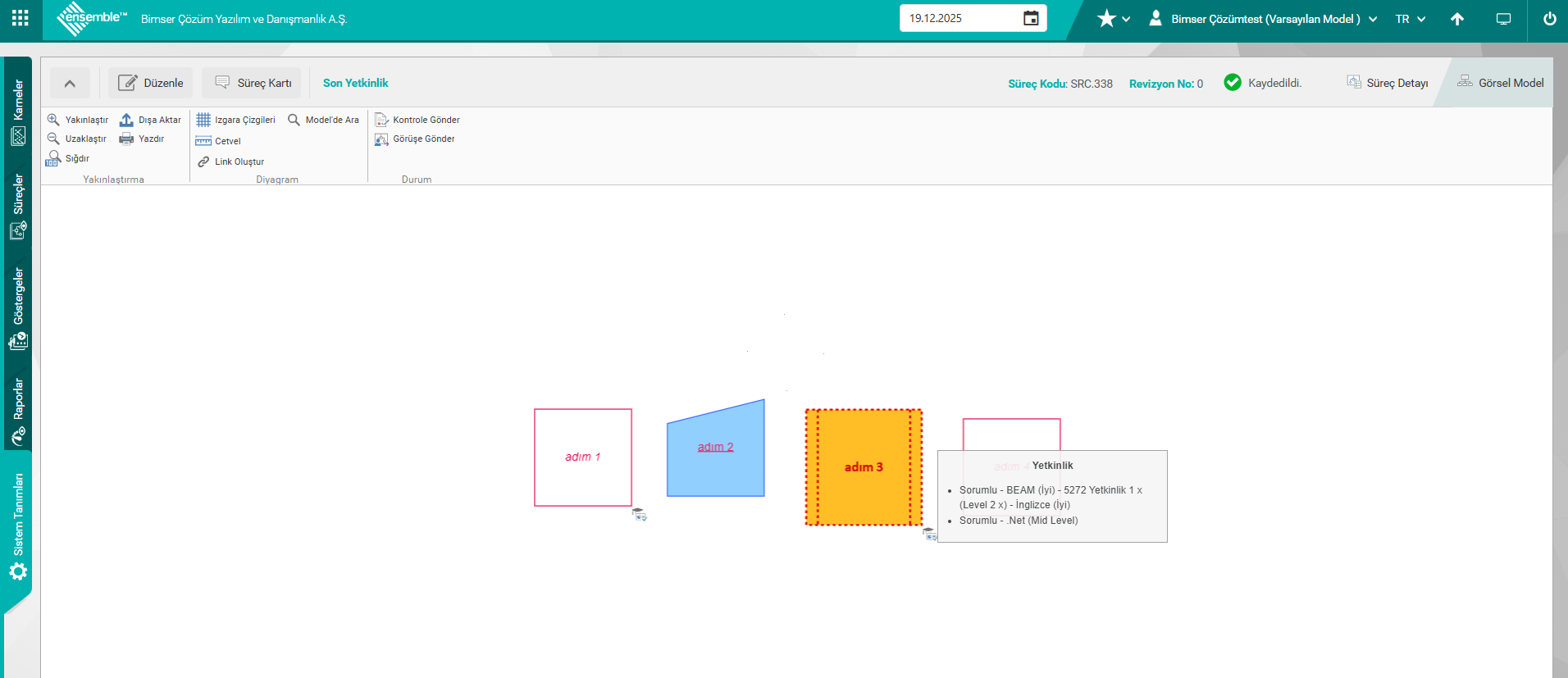
The competencies defined for a process whose Visual Model is opened are displayed as "RACI-Competency-(Level)" when hovering over the "Competency" icon.
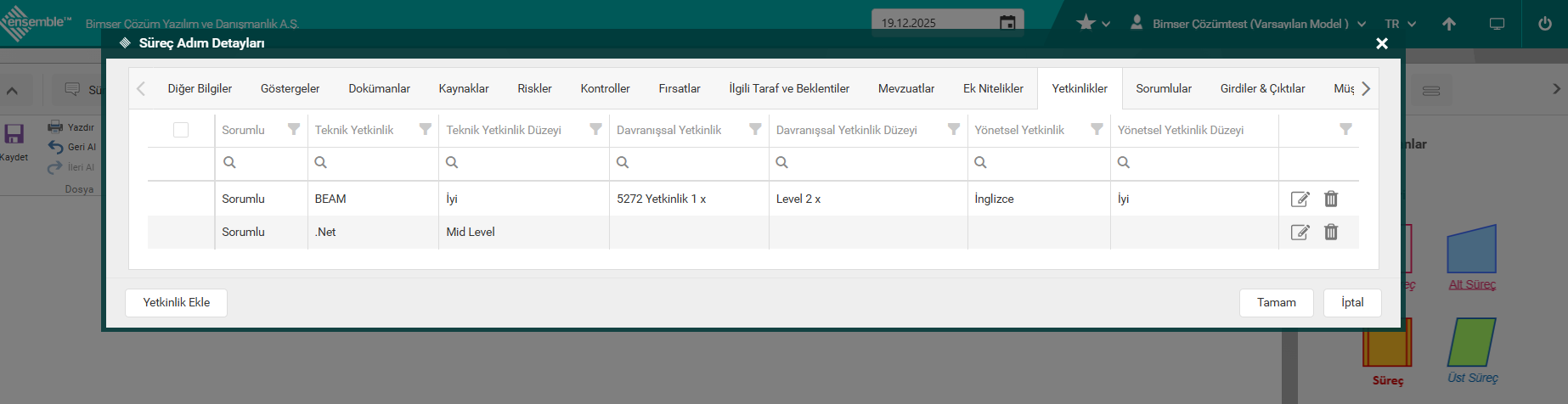
To define a competency for the process step, the relevant process step is opened in edit mode and the "Competencies" tab is reached.
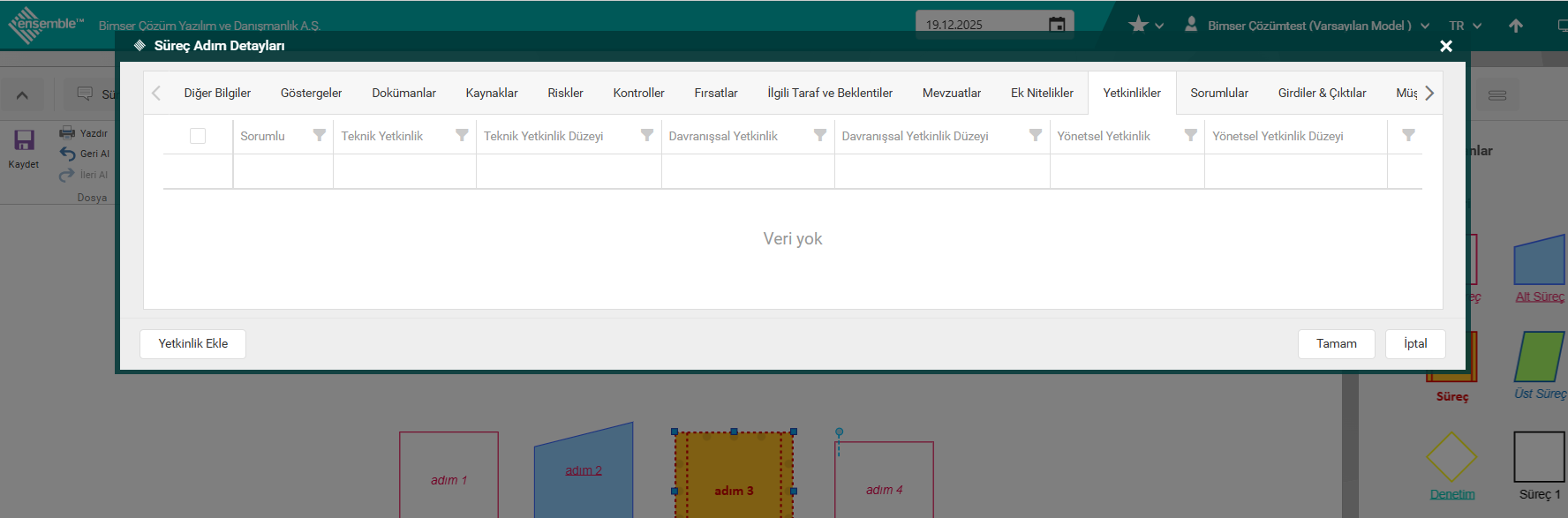
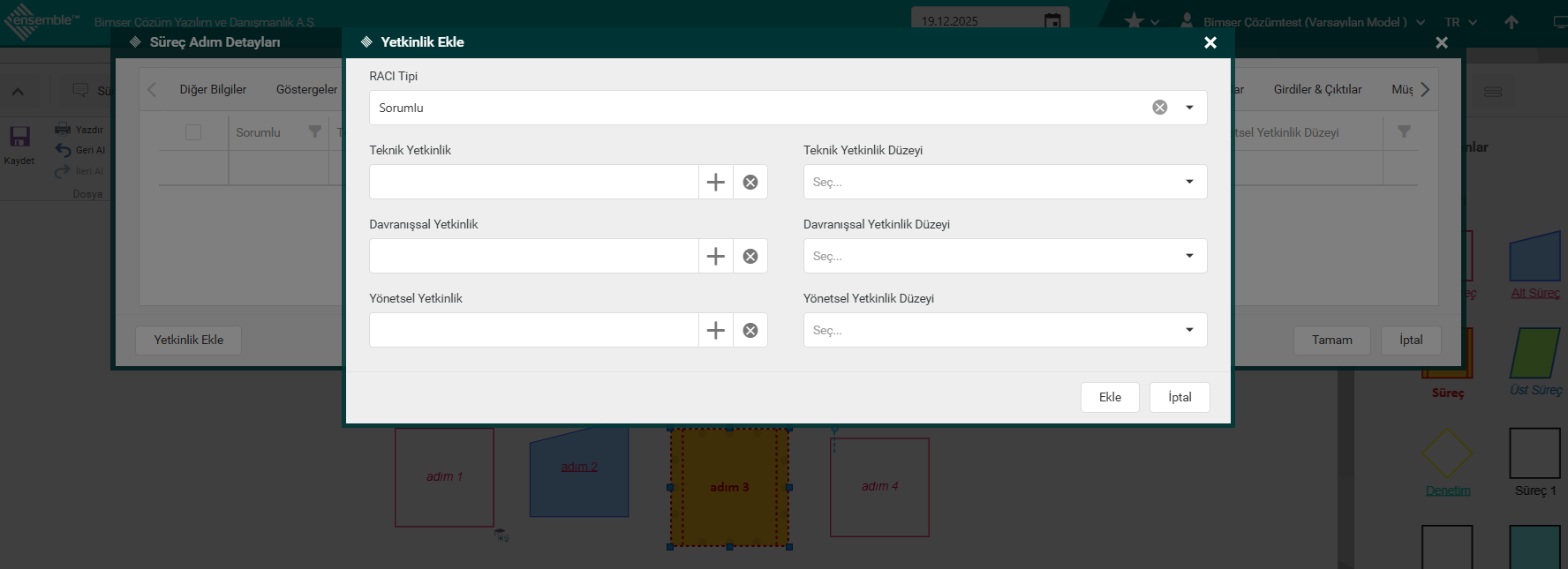
On the screen that opens with the "Add Competency" button, "RACI Type" is selected and "Competencies" and Competency Levels are selected and saved separately for Technical/Behavioral/Managerial Competencies.
NOTE: Without any person/position selection, only the competencies related to the relevant process step are defined independently of the person.
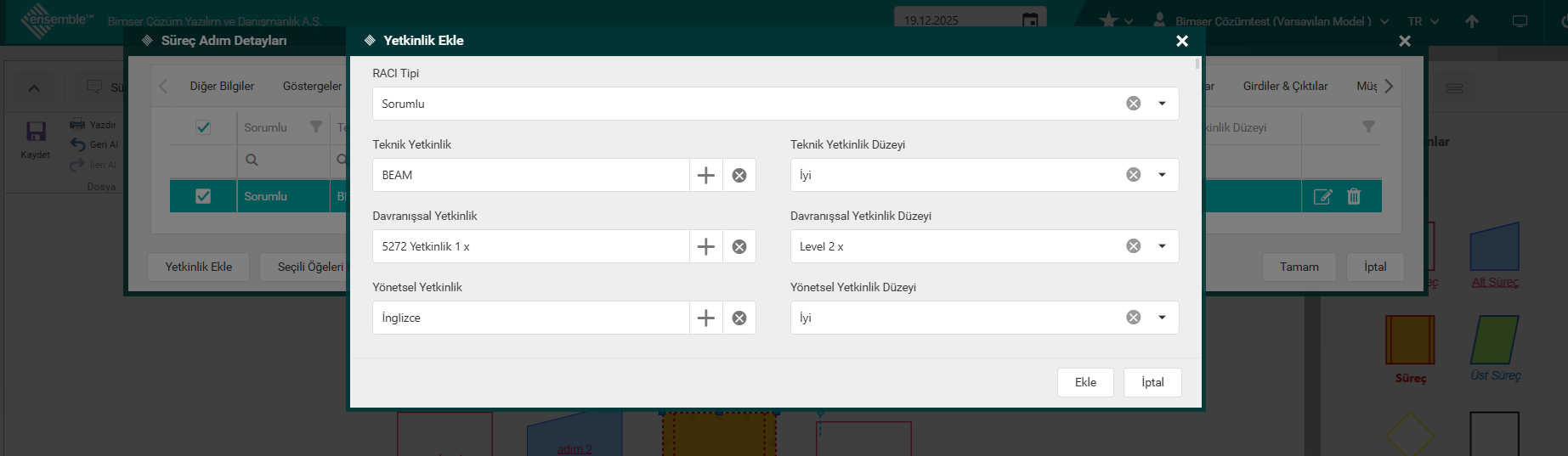
The added competencies are displayed on the grid under the Competencies tab in the Process Step Detail.
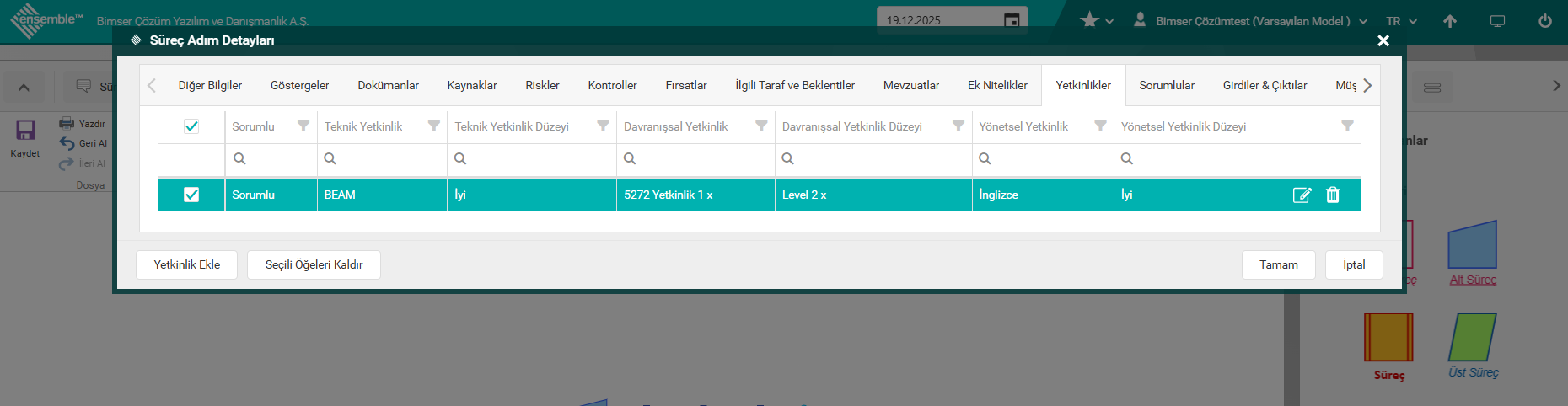
If it is desired to add more than one same type of competency for the selected RACI Type, the process should be done again with the Add Competency button under the Competency tab.
The competencies associated with the process step are displayed with an icon on the process step object.
3. REPORTS > PROCESS COMPETENCE RELATIONSHIP REPORT

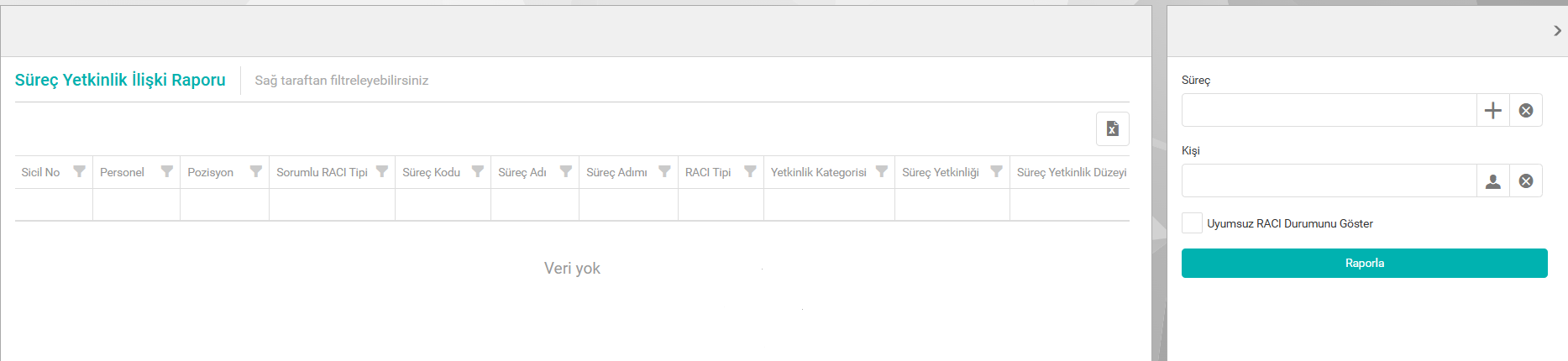
In the report filter field, the process or person is selected and their competency status is displayed. Only one of them can be selected and reported.
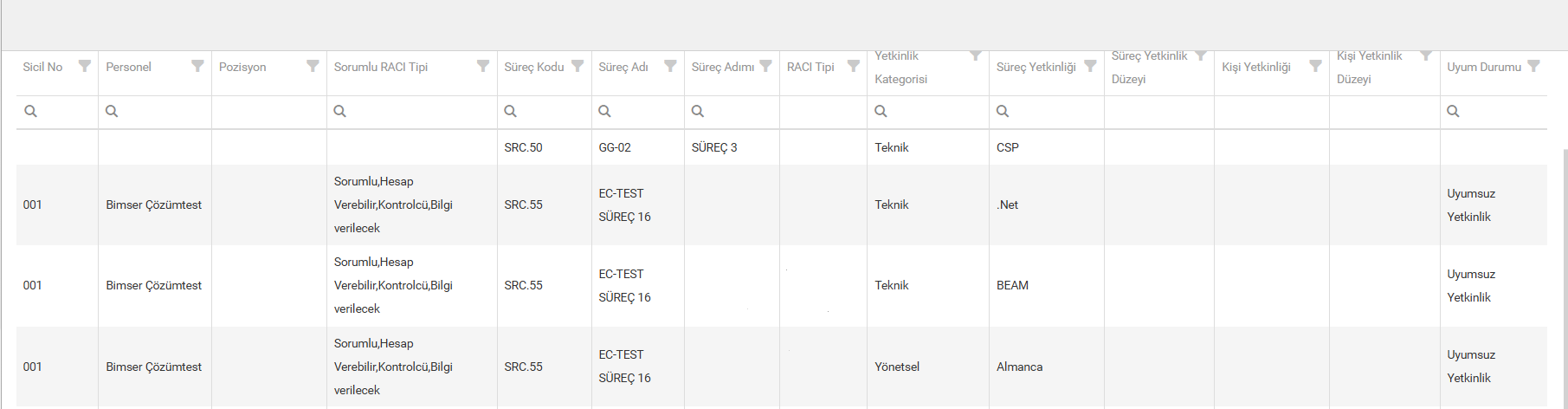
For example; The competencies specified for the Responsible (Expected competency) in the process step detail are compared with the competencies of the person selected in the Responsible (RACI) matrix for the same process step. In the "Compliance Status" column, "Compatible Competency" and "Incompatible Competency" information is displayed. In this way, the situation of the person in the relevant role in the process step can be compared for the expected competency in that process step.
If the "Show Incompatible RACI Status" option is checked in the filter field, if there is RACI Information that is incompatible with the process, that data is displayed.
In this section, if the competency determined for the responsible person in the Process step is different from the competency defined for the person in the RACI matrix for this role, the "incompatible competency" status can be reported. For example; If foreign language proficiency is expected at a medium level for the responsible role in the process step, but the person selected among the Responsible does not have foreign language proficiency, this information is displayed as "incompatible competence" on the report.