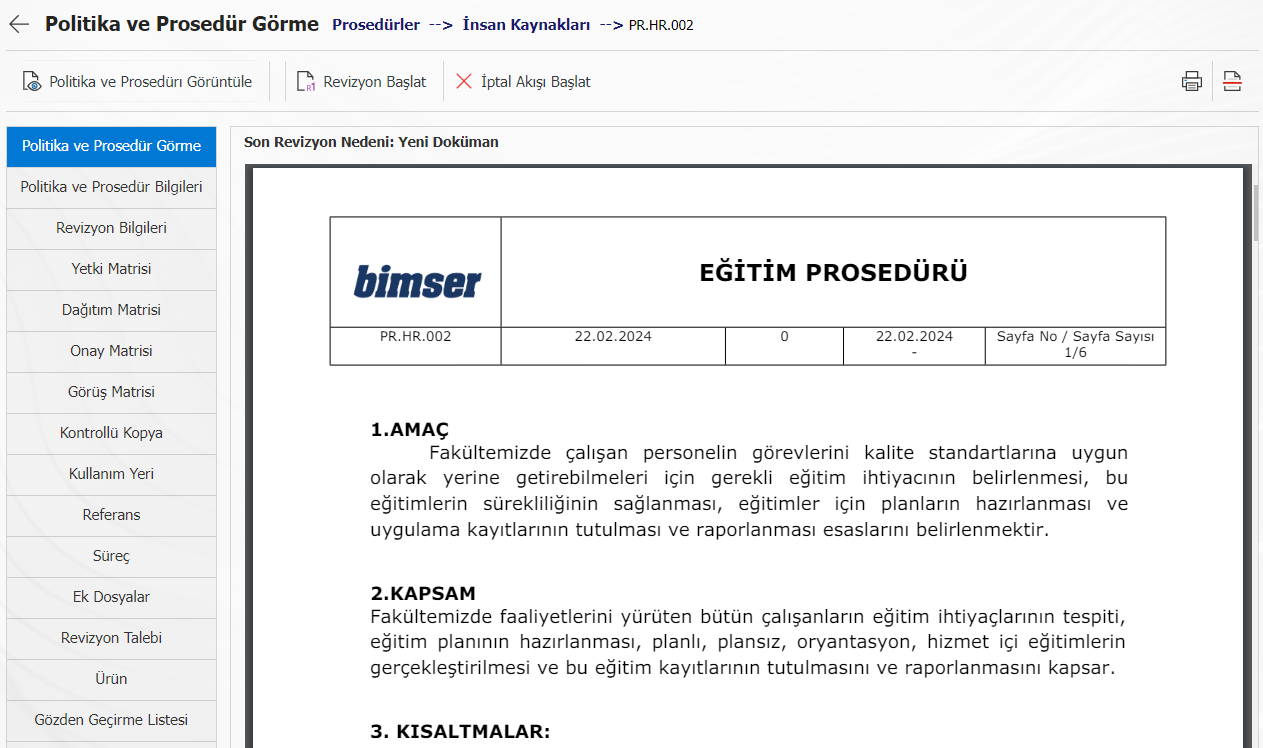
Logo Printing on Policies and Procedures
For the policies and procedures prepared in QGRC, it is possible to display the logo within the policies and procedures by using a shortcode without adding the workplace logo visually.
This feature, which is generally used by companies with more than one workplace and different logos, provides great convenience in terms of time and effort in cases where future workplaces change logos. Instead of editing the policies and procedures one by one, changing only the logo uploaded to the application will change the image of the logo in all policies and procedures for that workplace.
To ensure this;
Step 1: System Infrastructure Definitions > BSAT > Configuration Settings > Report Formats are entered into the Editing menu. With the new registration button, the logos of the workplace(s) are loaded.

The uploaded file name is copied.
Step 2: System Infrastructure Definitions > BSAT > Definitions > Enter the Workplace Definition menu. The logo is entered with the change button to the workplace to be loaded. On the screen that opens, paste the file name into the Logo File Name field.

The Workplace Code is copied.
Step 3: When preparing the policy/procedure to be uploaded to QGRC, the logo should be written where it should come <LOGO_[workplace code]>.
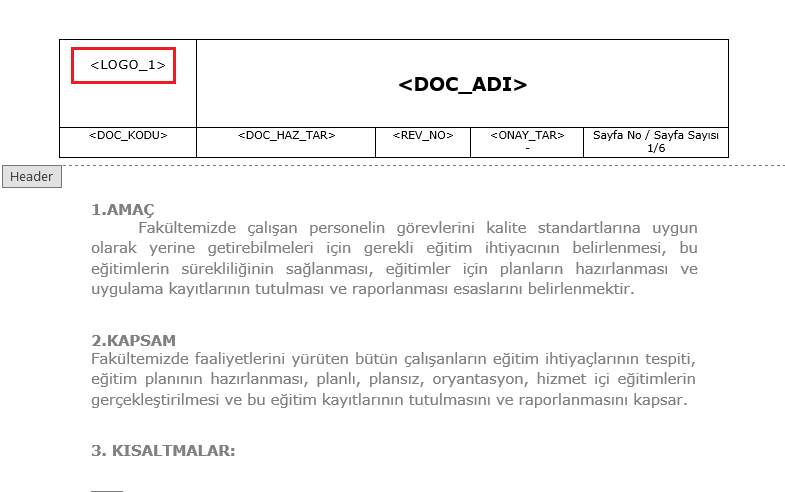
After the document is uploaded to QGRC, it looks like the image.