PROCESS RISK MANAGEMENT COLOR FEATURE ACCORDING TO RISK LEVEL
In the process risk notification module, coloring can be done according to the level of risk calculated as in the image.
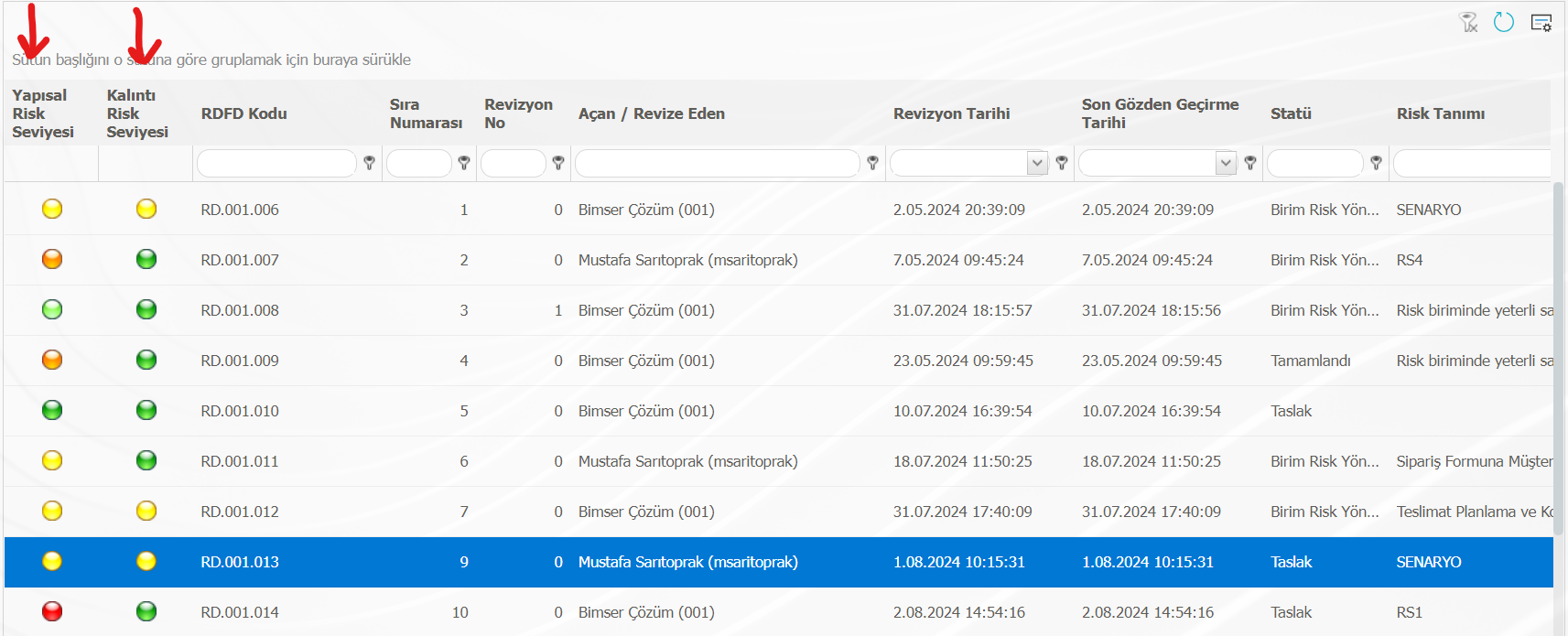
The image below shows an example table about the risk and its degree.
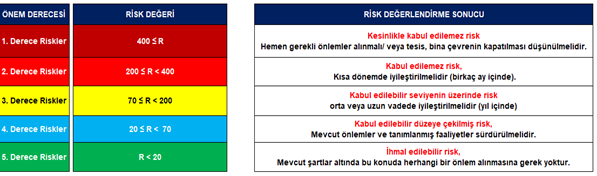
To achieve this, the following steps should be followed.
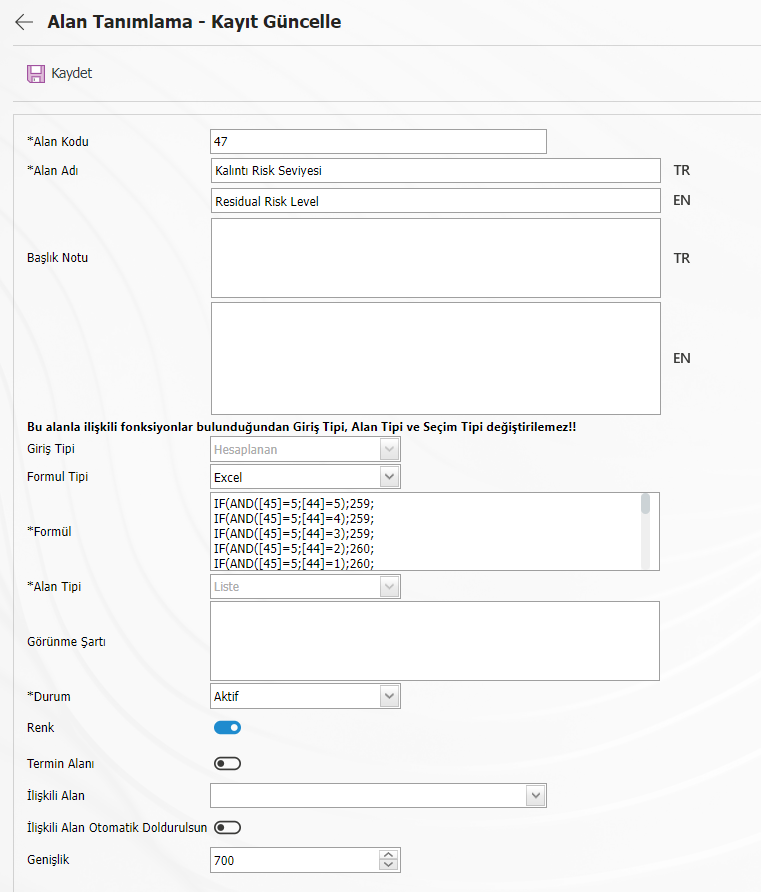
Step 1: System infrastructure definitions > Process Risk Notification > Field Definition menu are entered. Click on the new registration button. Information about the area to be colored is filled in. Input Type should be selected as "Calculated" and Field Type should be selected as "List". After the selection of these fields, the color space can be displayed. The "Color" ckeckbox is checked. And it is recorded.
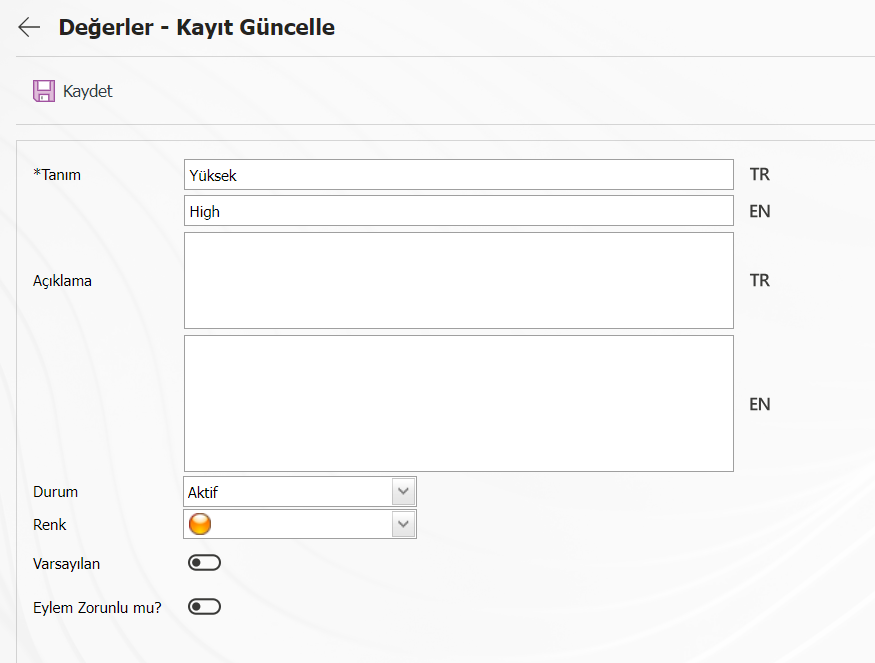
Step 2: The values of the calculated list-type field must be defined. Color must be determined for each defined value.
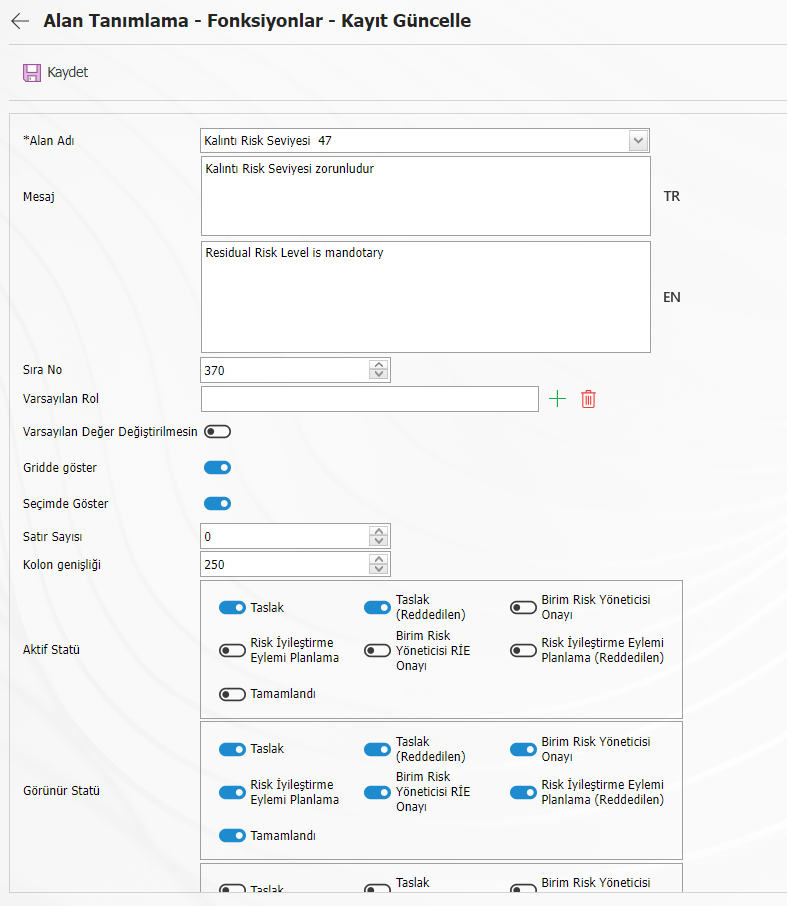
Step 3: System infrastructure definitions > Process Risk Notification > Function designer menu are entered. Select function number 4 and click on the "Fields" button. The information for the calculated list-type field is populated. In order for colors to be included in the risk list, the "Show on Grid" checkbox must be checked. Statuses are also saved after they are selected.
After these processes, the colors for the field created on the risk assessment detail form screen will be displayed.