Adding Fields to Risk Notification Action Report
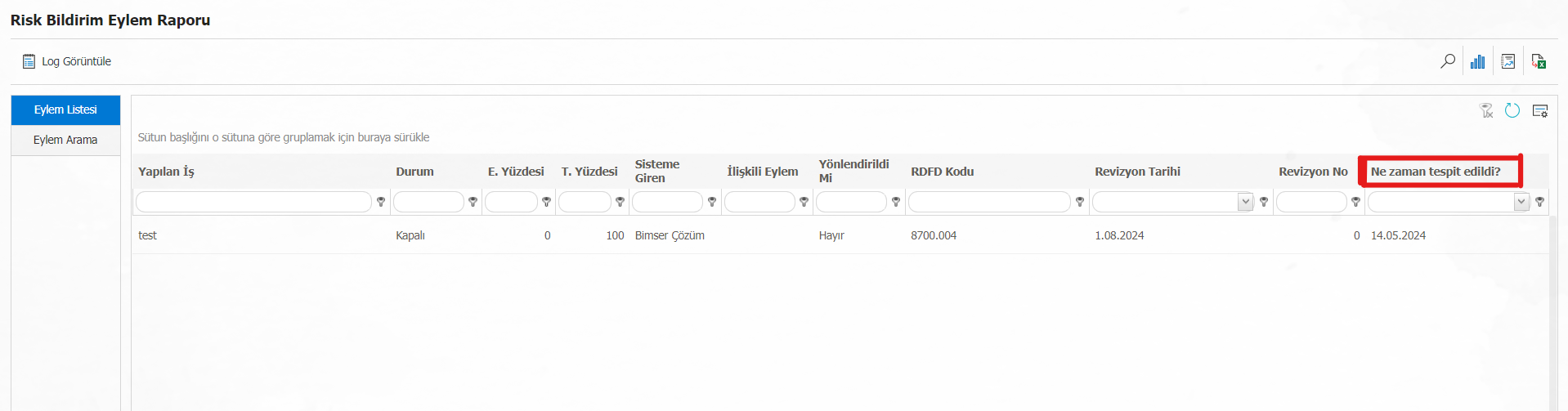
The report formats of the risk modules can be edited as in each module. Adding the field defined in the form to the action report of the risk notification module will be realized with the help of the parameter.
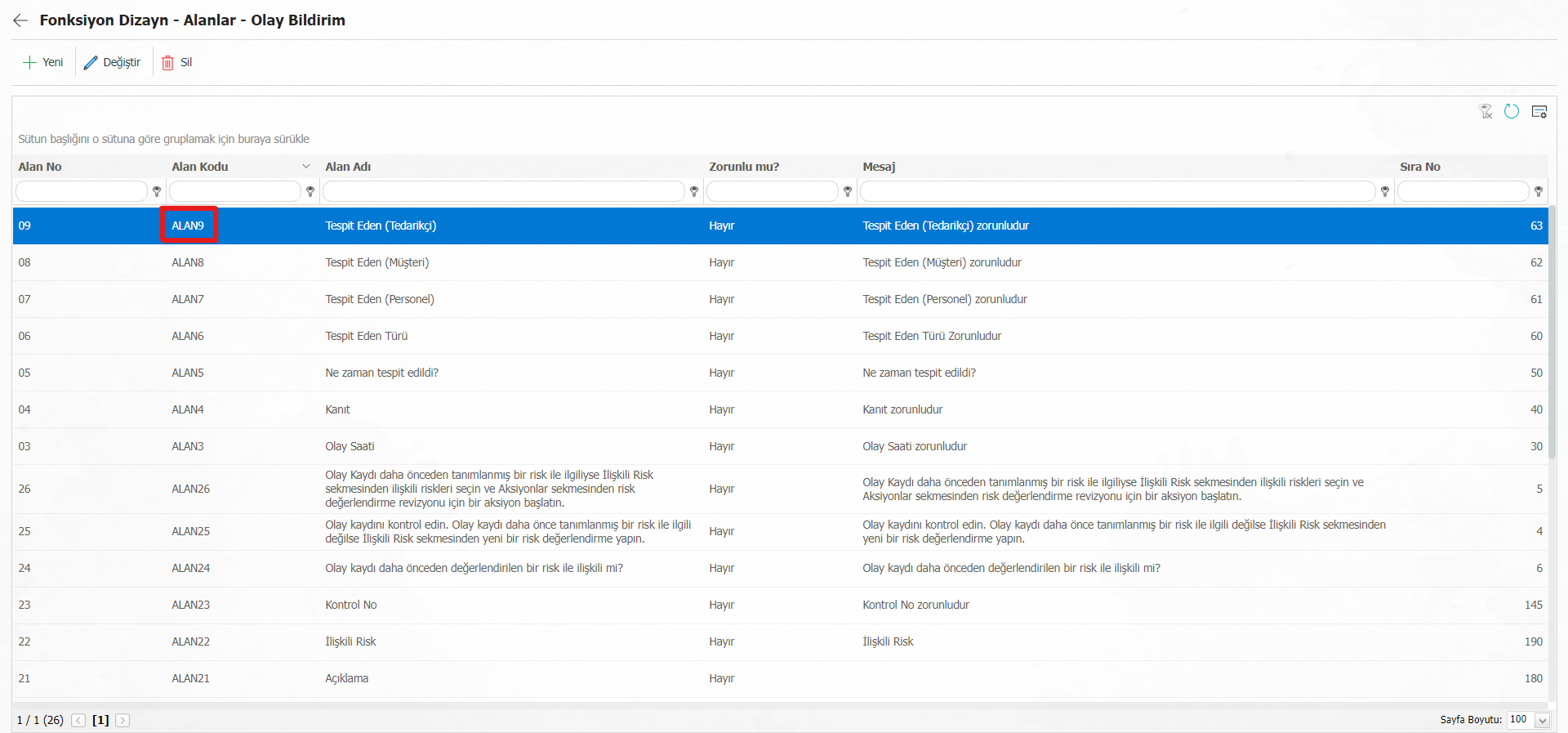
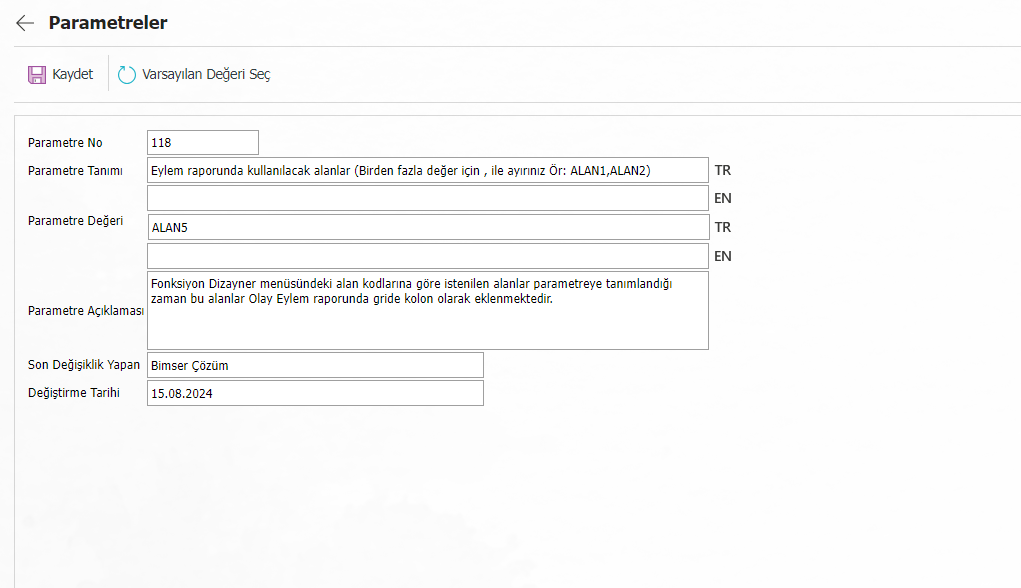
For the configuration of the area to be listed in the QGRC Management System > Risk Notification > Reports > Action Report, the "118 - Fields to be used in the action report (For more than one value, separate with "," e.g. (FIELD1, FIELD2)" parameter in the System Infrastructure Definitions > Risk Notification > Risk notification parameters menu is entered with the "Change" button. It will be done by typing the field code defined in the System Infrastructure Definitions > Risk Notification > Function Designer menu of the field that is desired to appear in the report in the Value field. (Relevant area codes will be ALANXX.)