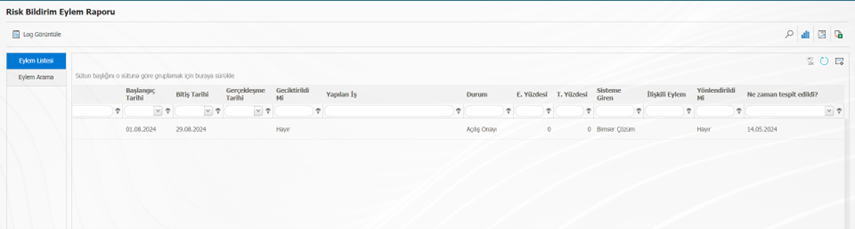
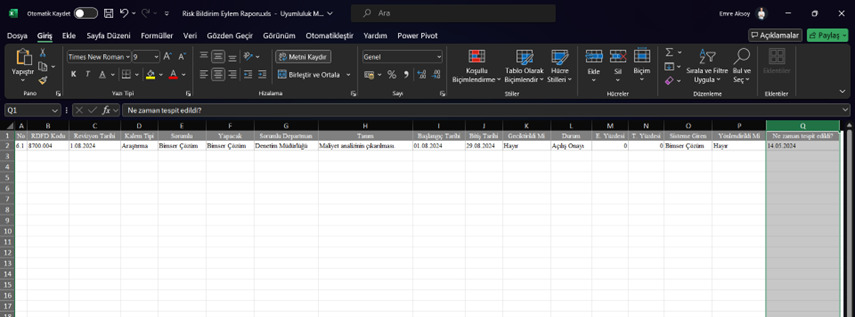
ADDING FIELDS FROM THE RISK FORM TO THE ACTION REPORT GRID
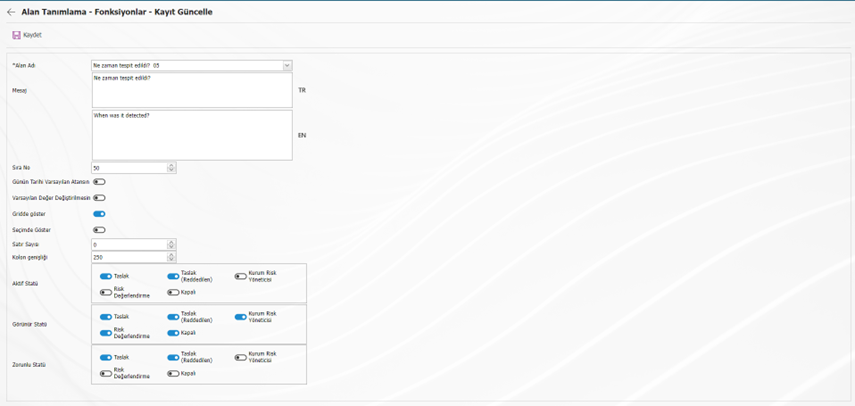
In order to be able to filter in the "Action Report" according to the field in the risk notification form and report its value with the "Export to Excel" button, first of all, the "Show in Grid" check box of the field must be checked in the System Infrastructure Definitions > Risk Notification > Function Designer menu.
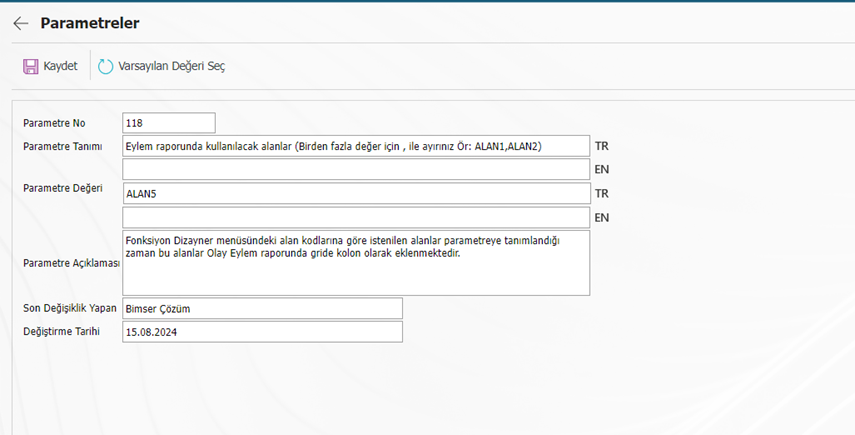
System Infrastructure Definitions > Risk Notification > In the Parameters menu, the parameter value 118 is entered with the help of the "Change" button.
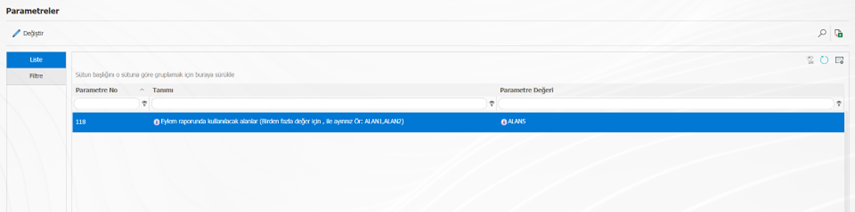
In the parameter value field, the function design code of the field to be shown in the grid in the action report must be entered. (Ex: AREA5)
Then, enter the GRC Management System > Reports > Action Report menu. After the desired filtering is done in the action search tab, the report is filtered with the help of the magnifying glass button and the values of the relevant field will appear in the grid and in the report.