Automatic Revision in Risk Notification Module
In the risk notification module, it is possible to drop an automatic revision task depending on the measures. The primary condition for this is the use of status. System Infrastructure Definitions> Risk Notification>Parameters menu should be opened. From the parameter list here, "Should the status be used?" The parameter should be marked as 'Yes'.
When all measures are completed, parameter 185 must first be edited and saved as 'Yes' in order to automatically revise the system.
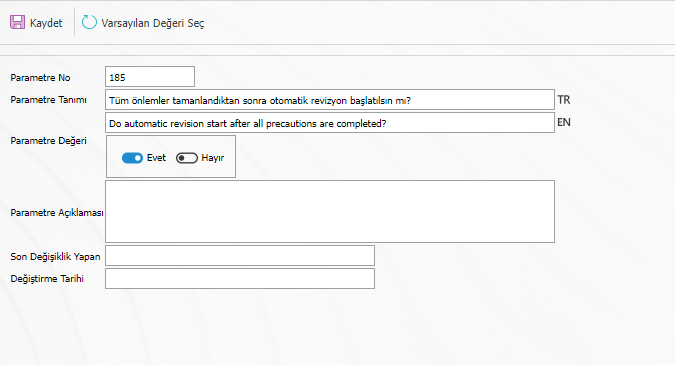
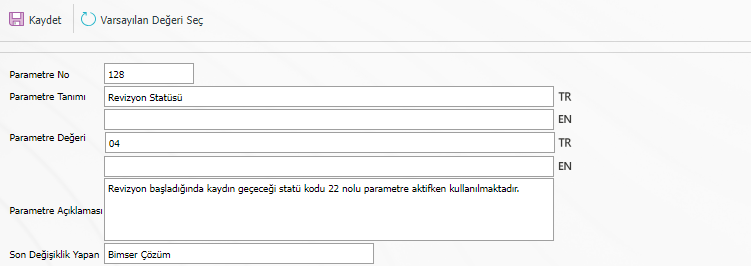
There are 2 situations depending on parameter 185. If the user wants automatic revision to be reduced as a task in any status without using the Revision status, the code of the relevant status must be written in the parameter value 128.
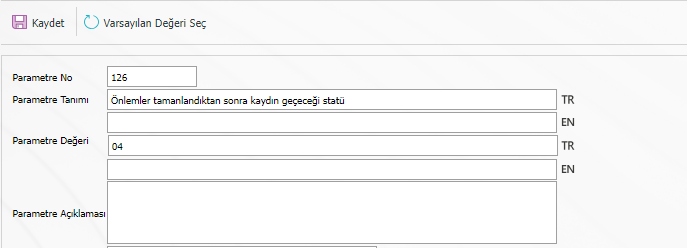
Since the process can start from the beginning when parameter 128 is used, the user creates a separate revision status by choosing to close it directly or submit it for approval. In this case, parameter 126 should be used. If it is desired to switch to the revision status directly after the measures taken are completed, the 'code of the revision status' should be written in the parameter value field in parameter 126. In this case, when the measures are completed, the relevant person has a duty in revision status, regardless of the stage of the process.
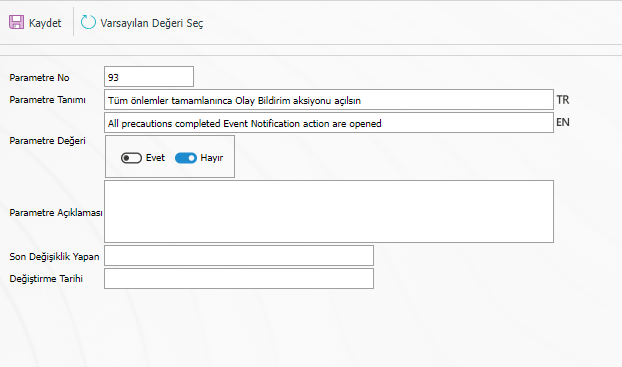
While making this setup, parameter 93 must be marked as 'No'. Otherwise, the system will reduce the task of action to revise, not the revision task.
If the parameter value 185 is 'Yes' in the automatic revision flow, the system first looks at parameter 126, if the parameter value 126 is empty, it checks the parameter value 128. If both are empty, automatic revision works according to the default status.